and
and 

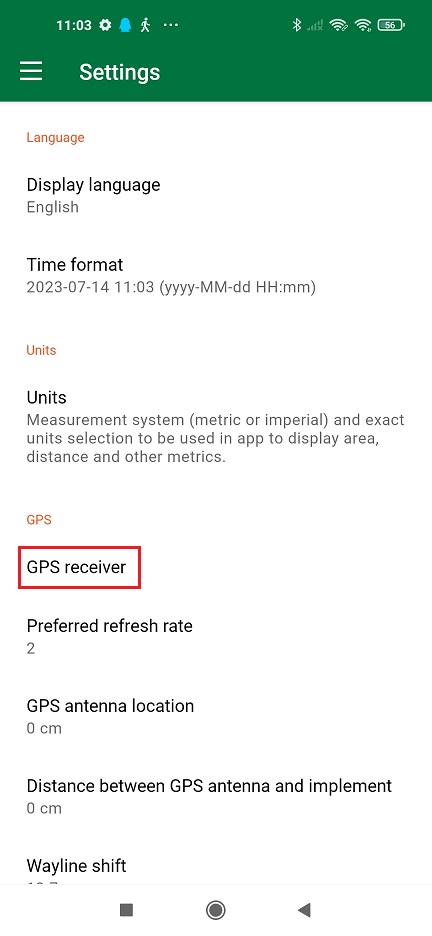
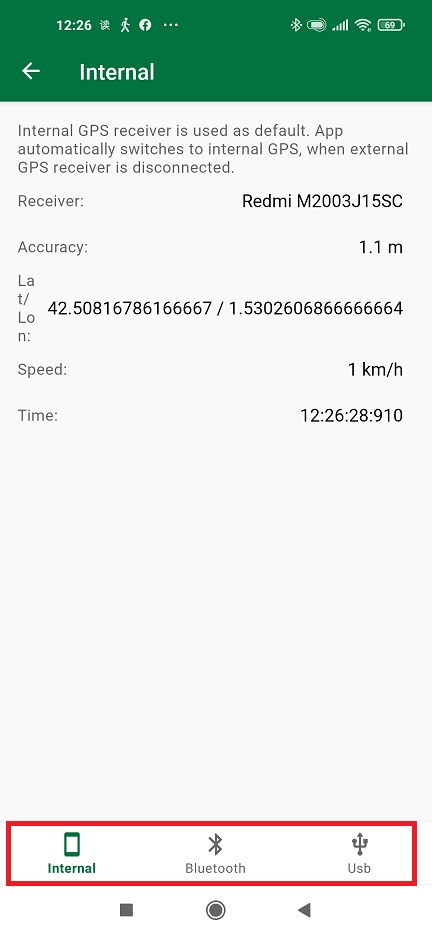
Internal (preferred for Mock location)
via Bluetooth (preferred option if your phone does not support OTG)
via USB (most common used connection)
Internal (preferred for Mock location)
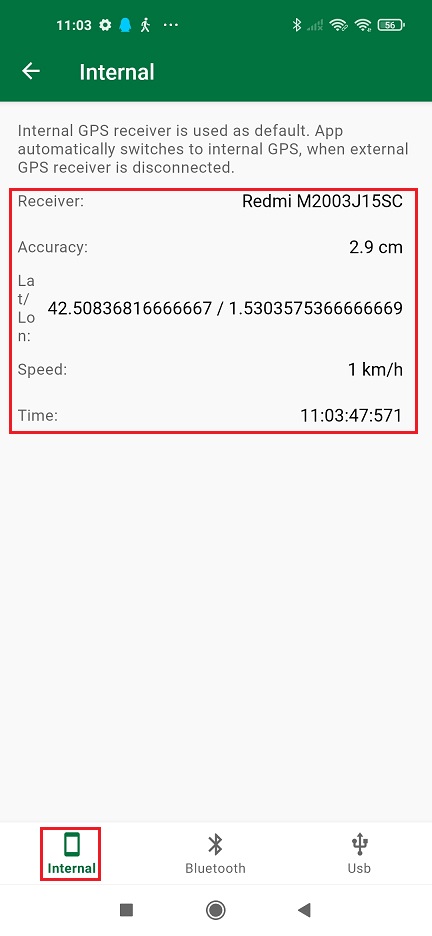
- If you are using Mock location on GNSS Master, tap Internal.
You will see the Accuracy is already centimeter lever because the internal GPS of your smartphone is replaced by GNSS Master via mock location.
via Bluetooth (preferred option if your phone does not support OTG)
- Plug Bluetooth module onto your receiver.
- Power your RTK receiver by connecting USB cable to the power supply (smartphone/tablet/ compatible powerbank). If you get any popup message to connect the USB device with any app, you can ignore it.
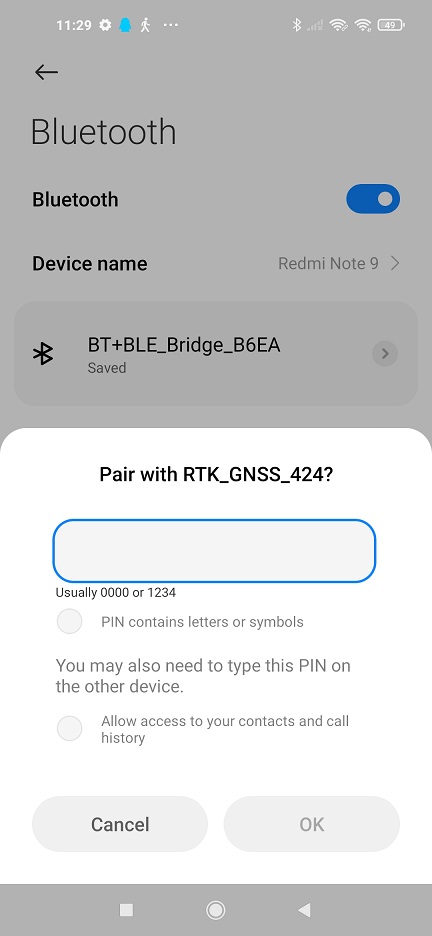
- Enable bluetooth of your smartphone or tablet, and pair it with your RTK receiver.
When pairing your device, notice that it may appear as RTK_GNSS_*** . The password is always 1234. The pairing only needs to be done once.
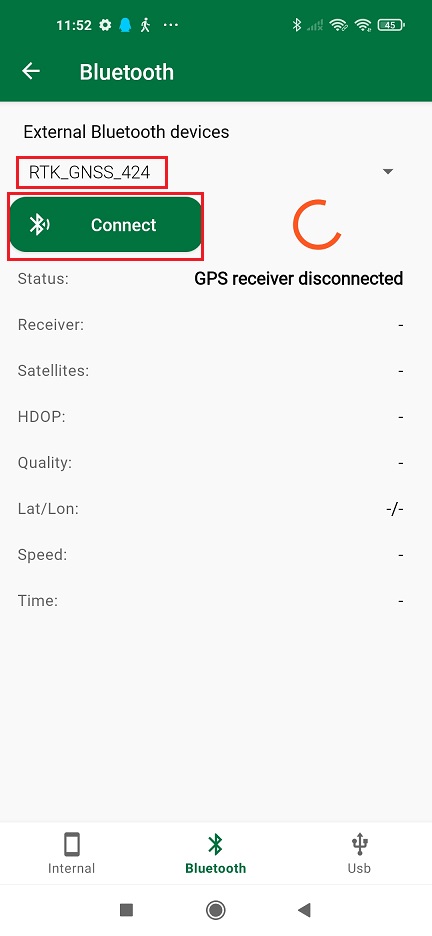
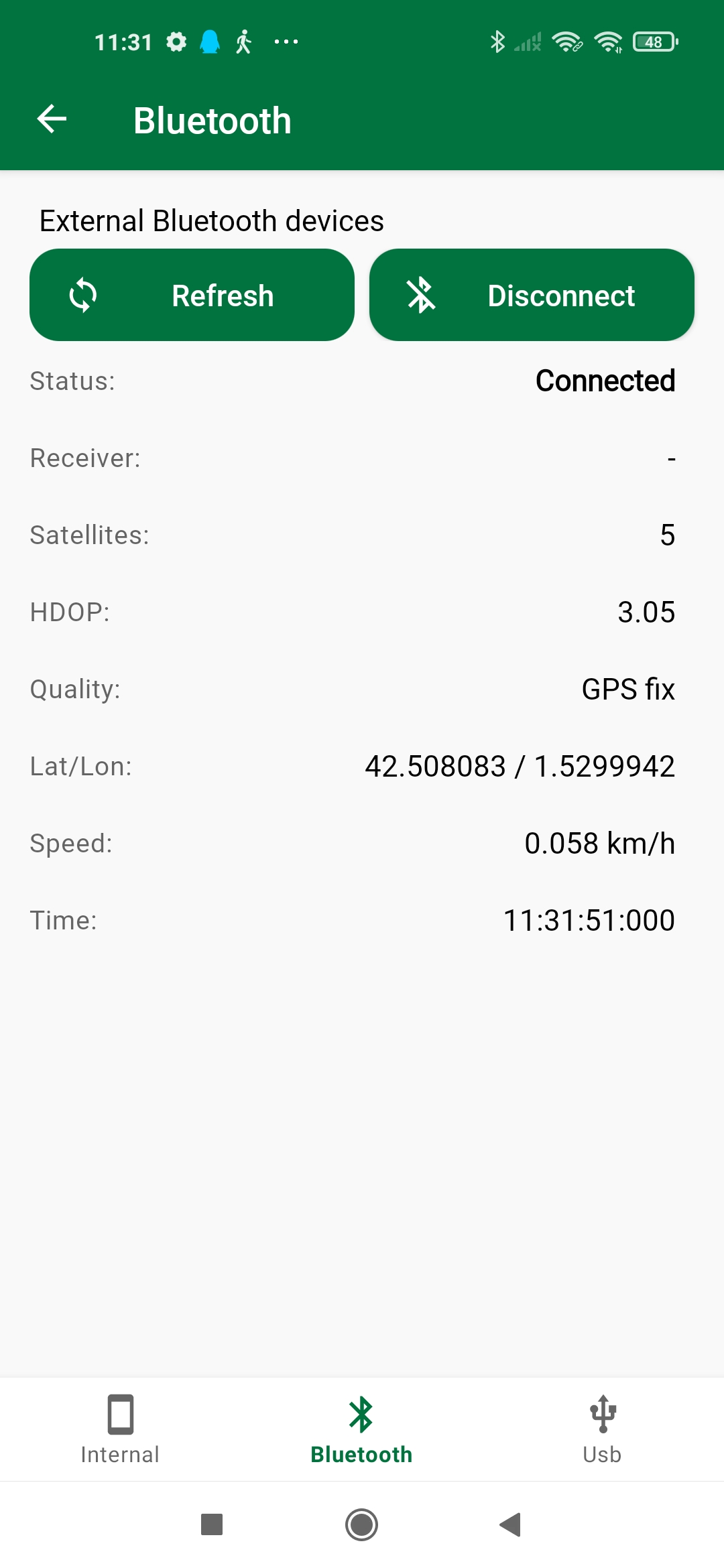
- In Filed Navigator choose Bluetooth.
Choose the devices you paired in step 8. Press Connect.
- In the Status you will find the indication ‘Connected’ with location information below.
via USB (most common used connection)
The best option (if your device supports it) since you can power and communicate with your receiver at the same time.
- Connect your receiver to your Android device with USB OTG cable.
- In the pop-up window, click OK to allow access the USB device.
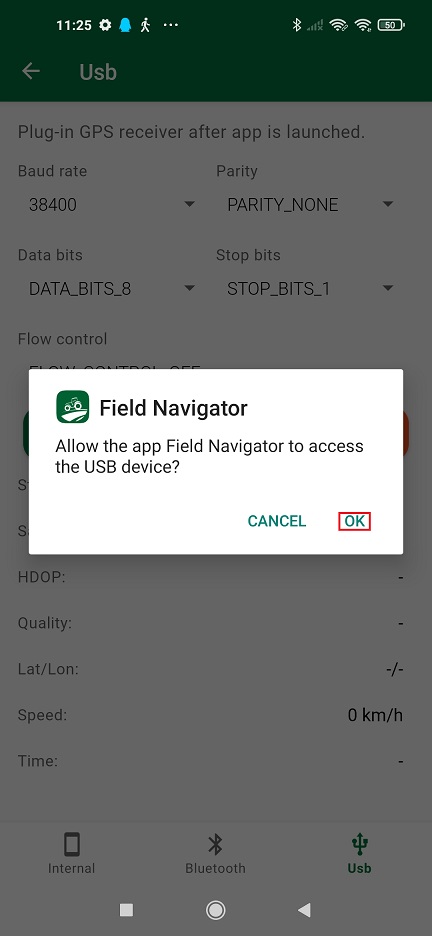
- Choose Usb on the right bottom. Set Baud rate according to your receiver configuration. Press Apply.
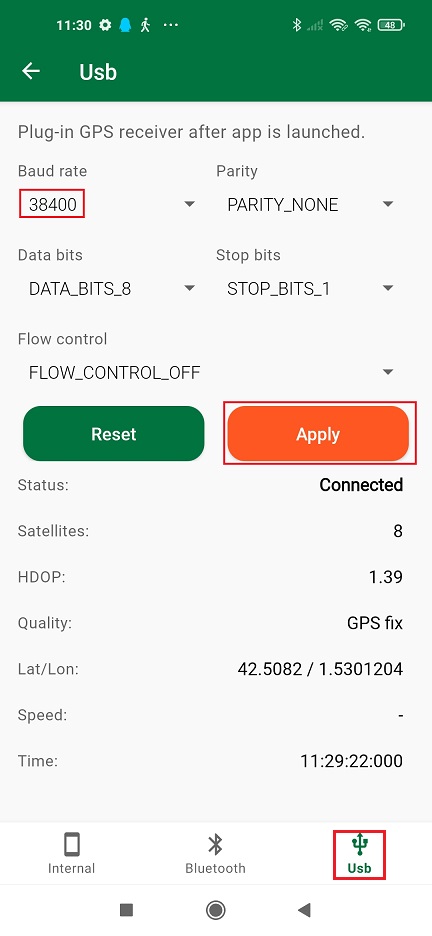
- In the Status you will find the indication ‘Connected’ with location information below.