Update (29/09/2026): We have plenty of stock of all our products, find us also in and    How to get a quotation

How to update the firmware of WiFi NTRIP Master

On this page 

No headings were found on this page.
Products used in this tutorial
ArduSimple WiFi NTRIP Master board (aka ESP32 XBee) is in continuous development and new versions with cool new features are being released periodically.
In this tutorial we will show you step by step how to update the firmware of your WiFi NTRIP Master.

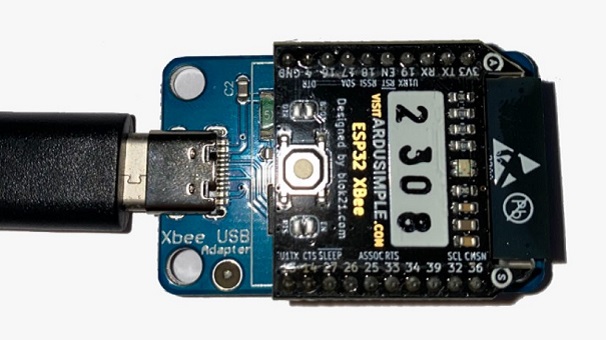
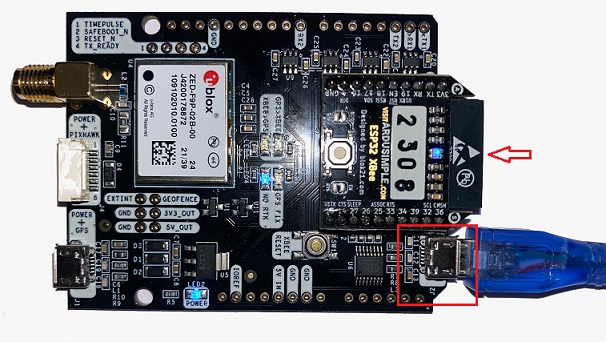
Required hardware:

Required software:

  • firmware update tool (Here we use Flash download tools. We will show how to download and use it in the following steps)

How to update the firmware of WiFi NTRIP Master?

  1. Download the firmware update tool from here. Unzip the file and save the folder in your computer. This tool won’t change between firmware releases.
  2. Check the last firmware release here and download the following files to your computer:
    • bootloader.bin
    • esp32-xbee.bin
    • partition-table.bin
    • www.bin
Ignore the rest of the files.
  1. Run flash_download_tools_v3.6.7.exe tool which you downloaded in step 2.
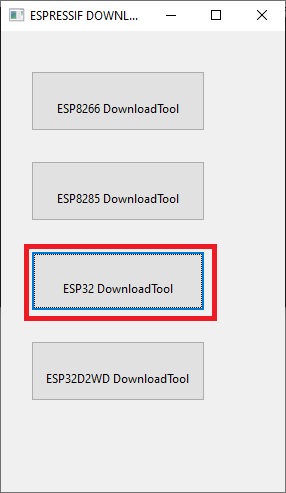
  2. Select ESP32 DownloadTool option.
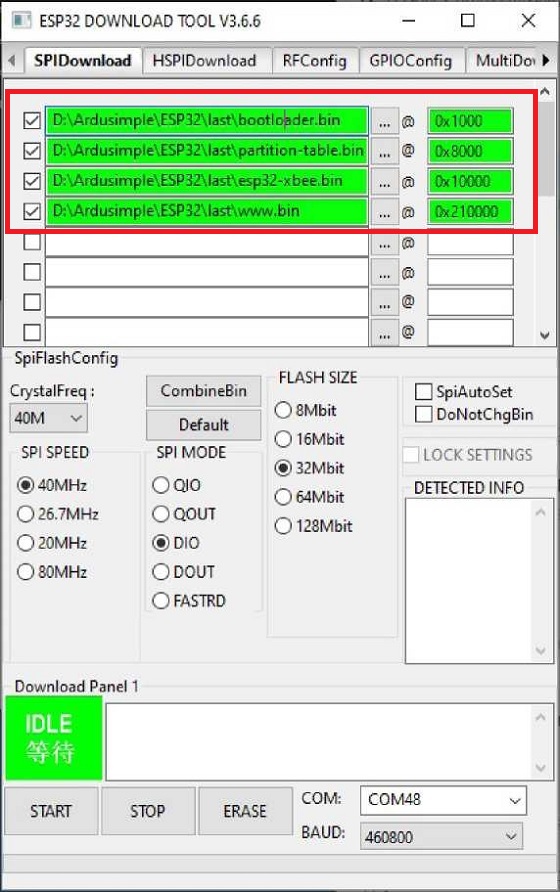
  1. Select the proper path to the binaries you downloaded in step 3 and make
    sure to set the tool as in this screenshot. Select the right COM port and BAUD (the paths and the COM port may be different).
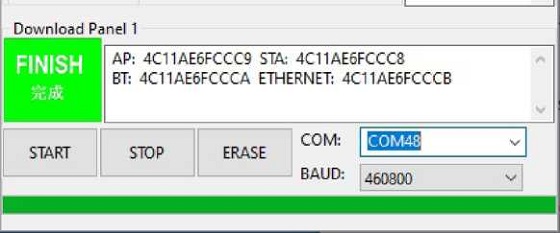
  1. Click the START button and wait until the progress bar reaches the end and FINISH is shown.
  1. Now the firmware of your WiFi NTRIP Master is updated. If you want to use the WiFi NTRIP Master as a Bluetooth connection to your smartphone or PC, please have a look of this tutorial.

If you want to do this tutorial, we have the simpleRTK2B/3B series receiver, WiFi NTRIP Master and USB cable in stock and ready to be shipped.

Still having issues?

Contact us for support from a real engineer—not AI—or request the tutorial you’re missing

Got any questions or requests?
Contact us! We'll answer <24 hours!

Contact ArduSimple
Close

We`ll email you a link to this post

Send Post to email

Access your Account and orders

Or

New customer? Create your account
ArduSimple – high precision RTK survey equipment and solutions made simple

Want to learn more about GPS and RTK?

If you are busy right now, our engineers can send you 3 short e-mails, explaining all you need to know to start your project.