
 and
and 

How to use ArduSimple kit with TcpGPS to perform data capture, survey and stakeout

On this page
Products used in this tutorial

In this tutorial we will guide you through the steps of connecting ArduSimple kit to TcpGPS app. This application for field work of surveyors allows the user to perform surveys, stake out plots, terrains and linear works, using base map as well as cartography and web map services.
We show the steps for RTK Calibrated Surveyor Kit, but the tutorial is similar for all our kits with ZED-F9P module and Bluetooth connectivity.
Required hardware:
- RTK Calibrated Surveyor Kit
- Android phone or tablet (with Android OS V6.0 or above)
Required software:
How to use ArduSimple with TcpGPS on Android device?
- Assemble your kit following its user guide and power it by connecting USB cable to the power supply (smartphone/tablet/ compatible powerbank). Place the antenna of your kit at open air with good view of the sky.
- Enable the Bluetooth of your smartphone or tablet, and pair it with your RTK receiver.
When pairing your device, notice that it will appear as BT+BLE_Bridge_XXXX. The password is always 1234.
The pairing only needs to be done once. Unlike other Bluetooth devices, it won´t show as “connected” until you click “connect” button in an app. - Open TcpGPS. Tap the receiver icon on the right side of Device type.
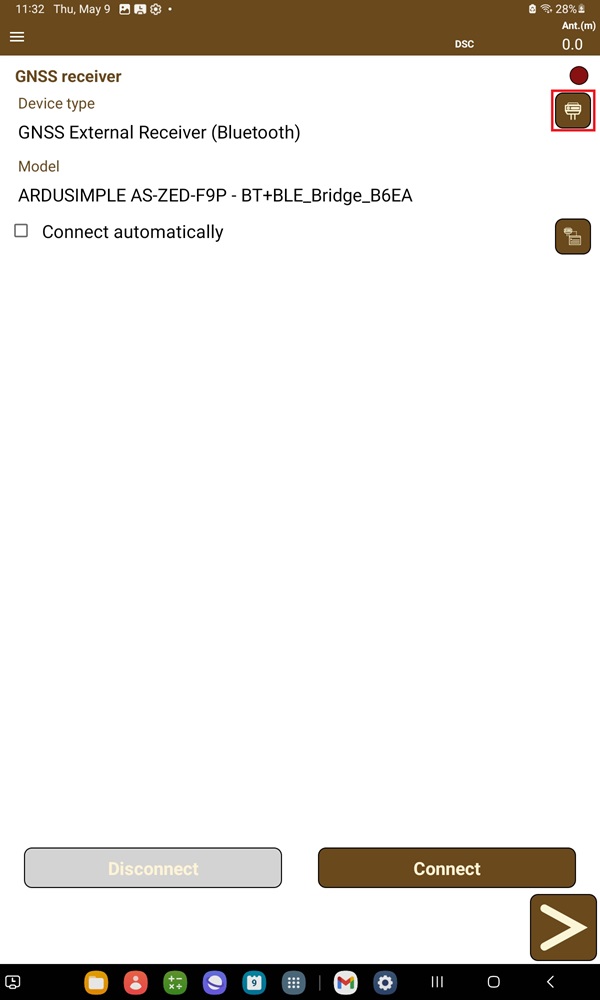
- Choose GNSS External Receiver (Bluetooth).
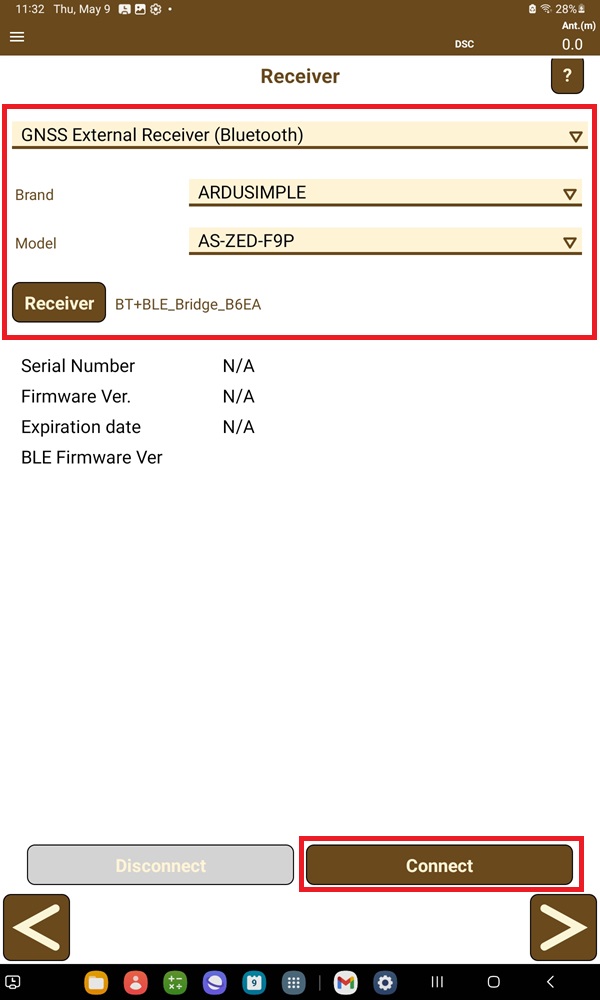
At Brand select ARDUSIMPLE. At Model select AS-ZED-F9P.
At receiver select the one your paired in step 3.
Tap Connect.
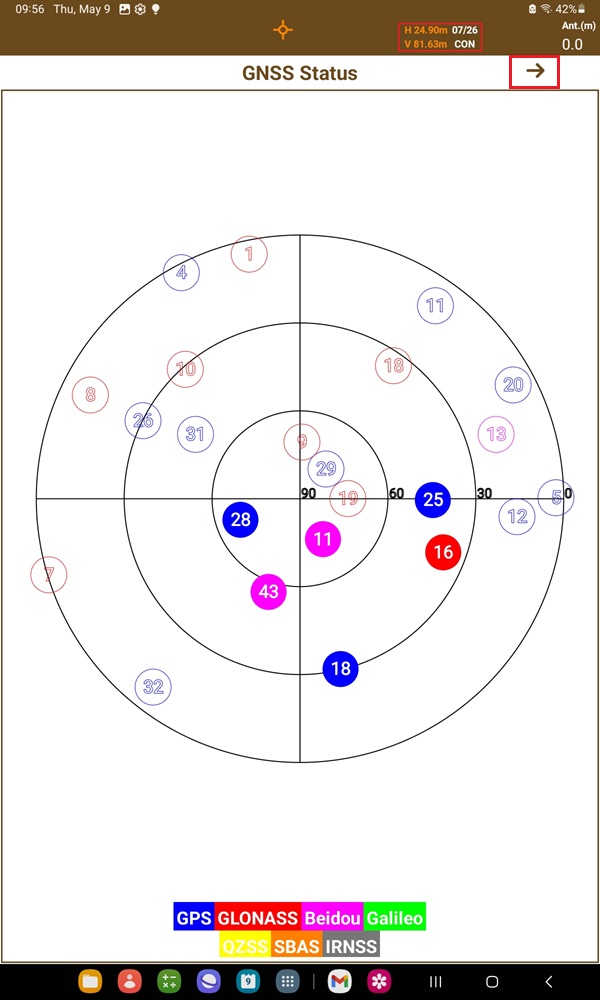
- Tap the Status on upper side of the screen, you can check the satellite in use.
Tap the –> icon next to GNSS Status, you can see the location information.
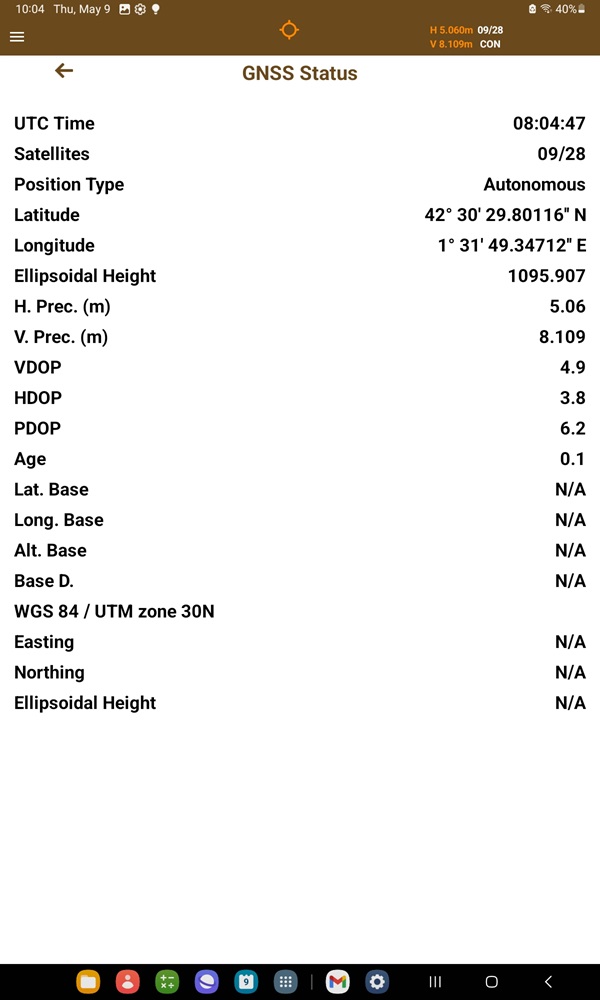
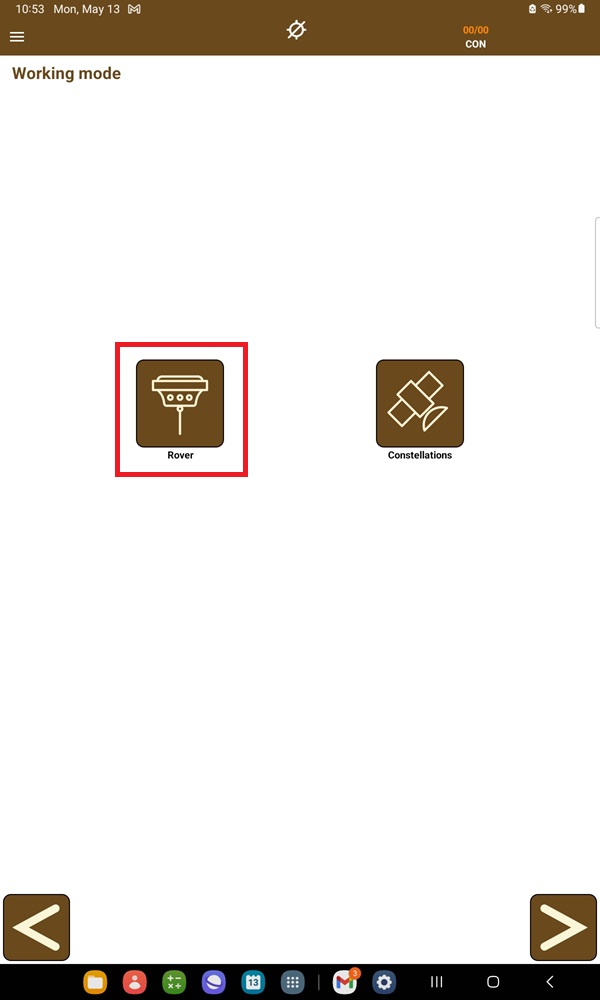
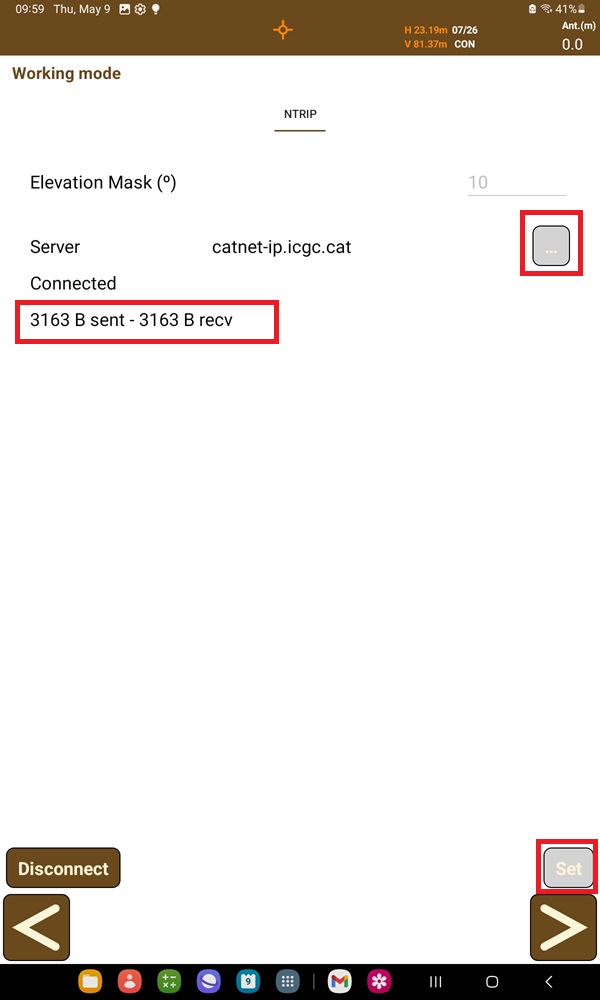
- Tap Rover at Working mode. At Server tap the … icon to type in your preferred NTRIP server. Then press Set at right bottom cornet. You will see data transfer after connected to NTRIP server.
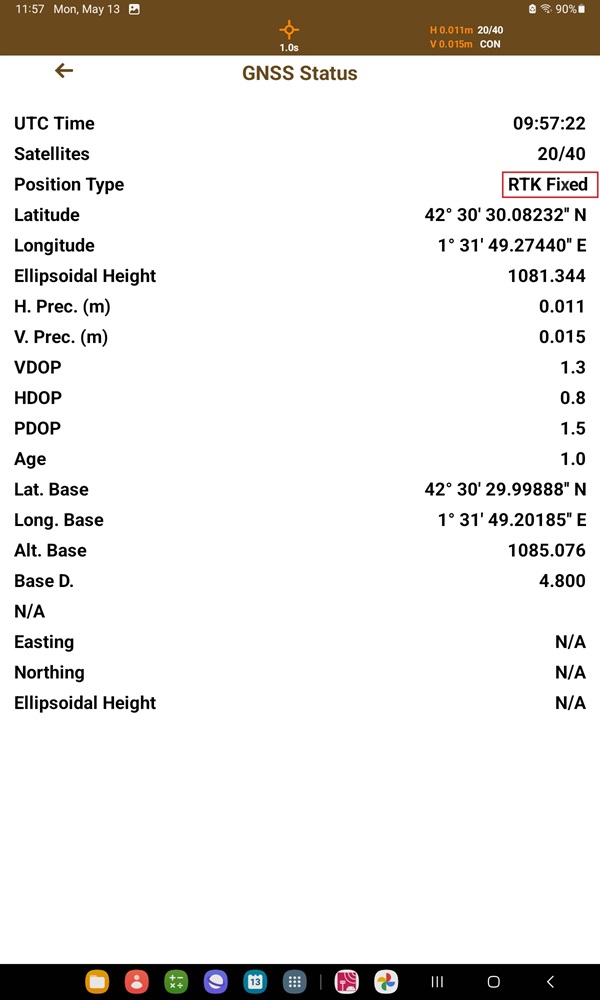
- Observe the change in your Position Type to either RTK Fixed or Float. For surveying purposes, an RTK Fixed status will ensure up to centimeter-level accuracy.
Now you can enjoy your Z9P receiver on TcpGPS and enjoy your surveying project.
You can check TcpGPS user guide for further information.
Related products

RTK Smart Antenna
Use your smartphone to perform surveying and geodesy jobs with this all-in-one NGS certified RTK receiver. You can finally buy instead of rent. If you need tilt compensation, click here.
Still having issues?
Contact us for support from a real engineer—not AI—or request the tutorial you’re missing