On this page
No headings were found on this page.
Products used in this tutorial
Locus GIS is a professional GIS application for collecting and updating field geodata, creating points and lines etc. The software offers a free basic subscription which is suitable for simple geospatial tasks, and paid premium subscription options.
Locus GIS includes a built-in NTRIP client that allows users to connect to an NTRIP correction service directly from the app, enabling centimeter-level accuracy. If you’re unsure about NTRIP services in your area, we’ve prepared a list of services specific to your country. Before starting this tutorial, make sure you have the necessary credentials to connect to an NTRIP service.
In this tutorial, we will guide you on how to connect the ArduSimple RTK kit to Locus GIS to achieve centimeter-level accuracy for your fieldwork.
Locus GIS includes a built-in NTRIP client that allows users to connect to an NTRIP correction service directly from the app, enabling centimeter-level accuracy. If you’re unsure about NTRIP services in your area, we’ve prepared a list of services specific to your country. Before starting this tutorial, make sure you have the necessary credentials to connect to an NTRIP service.
In this tutorial, we will guide you on how to connect the ArduSimple RTK kit to Locus GIS to achieve centimeter-level accuracy for your fieldwork.
Required hardware:
- RTK Calibrated Surveyor Kit
- an Android smartphone or tablet
Required software:
How to Use ArduSimple with Locus GIS for Centimeter-Level Accurate Survey Work?
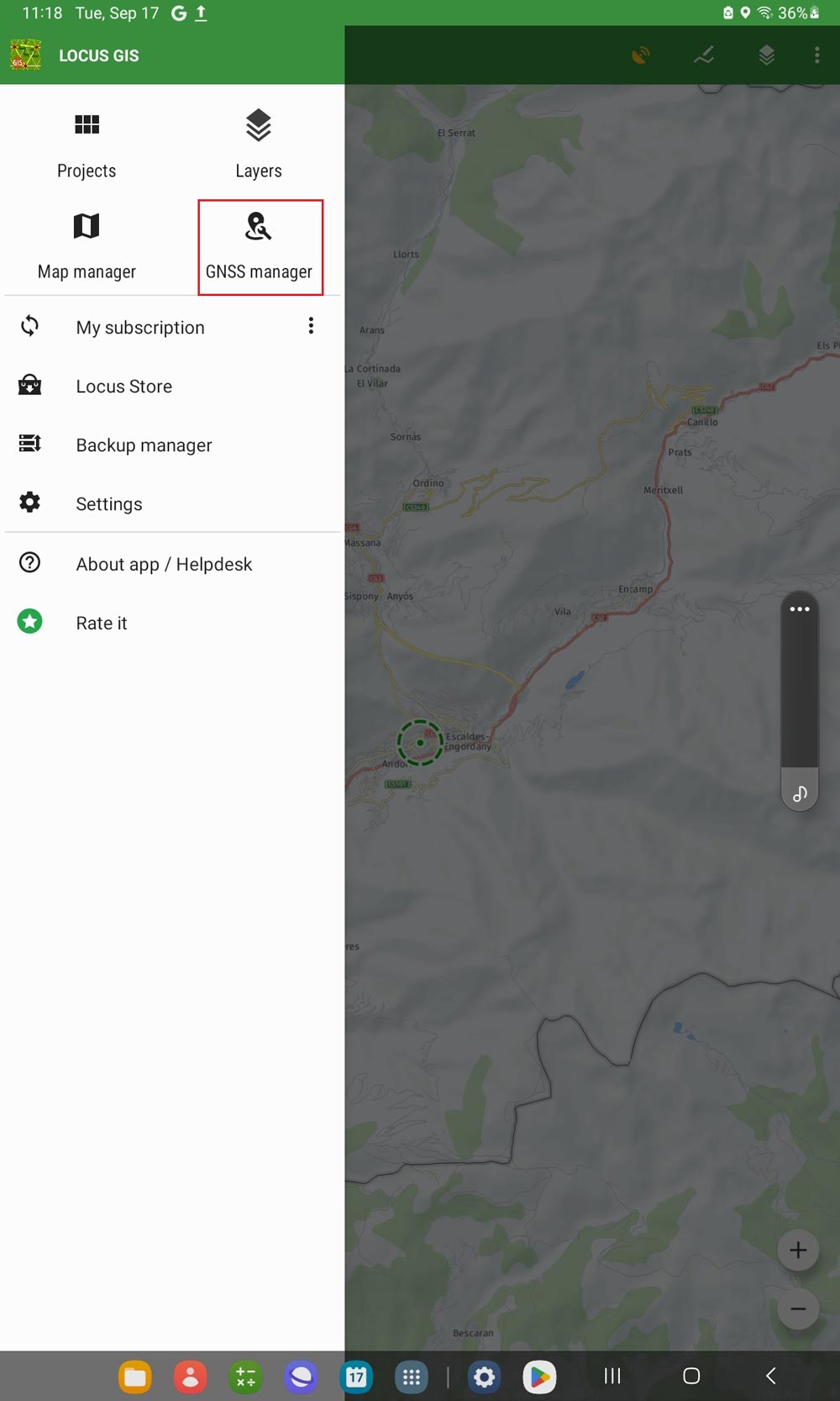
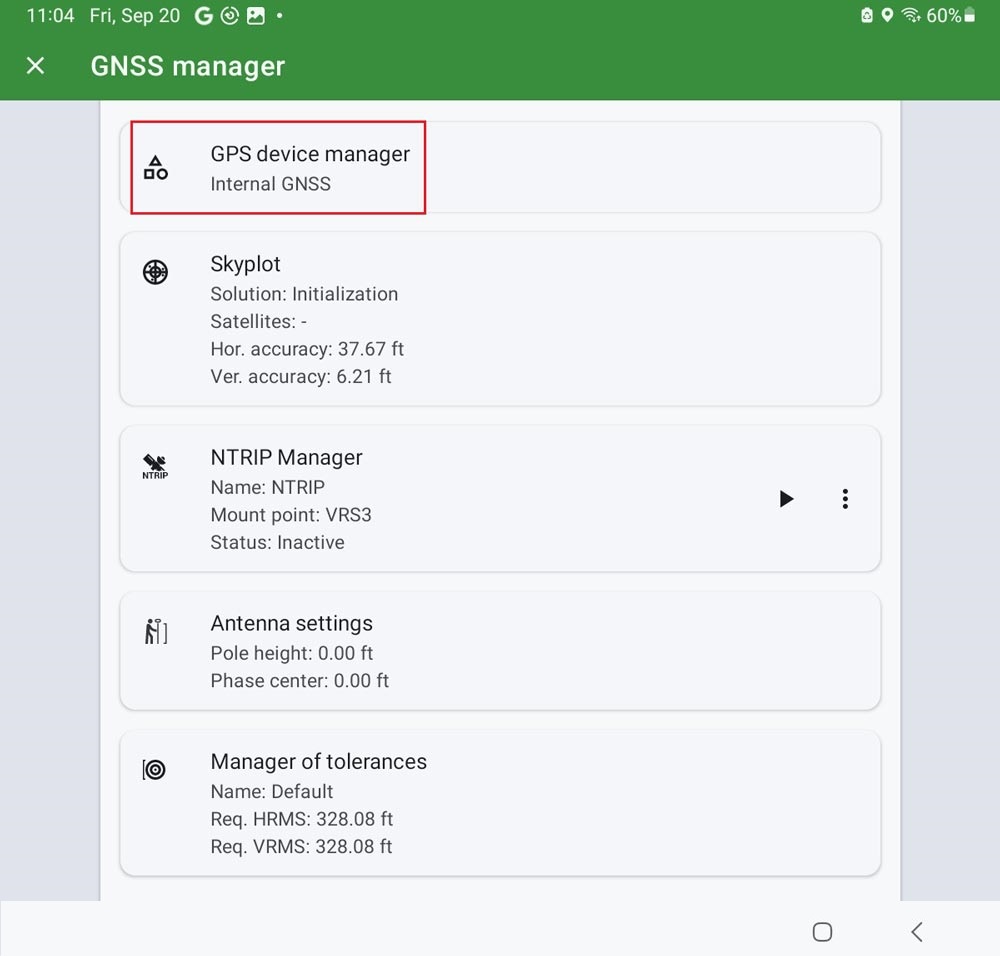
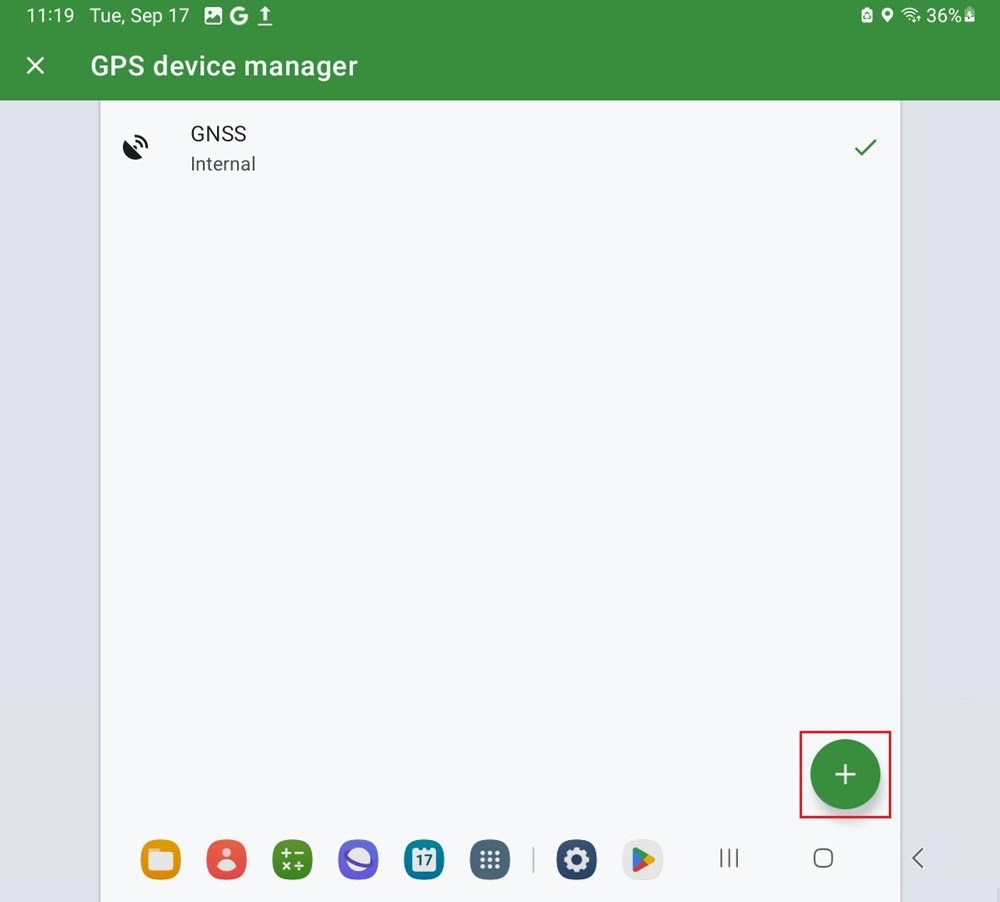
Connect ArduSimple kit to Locus GIS.
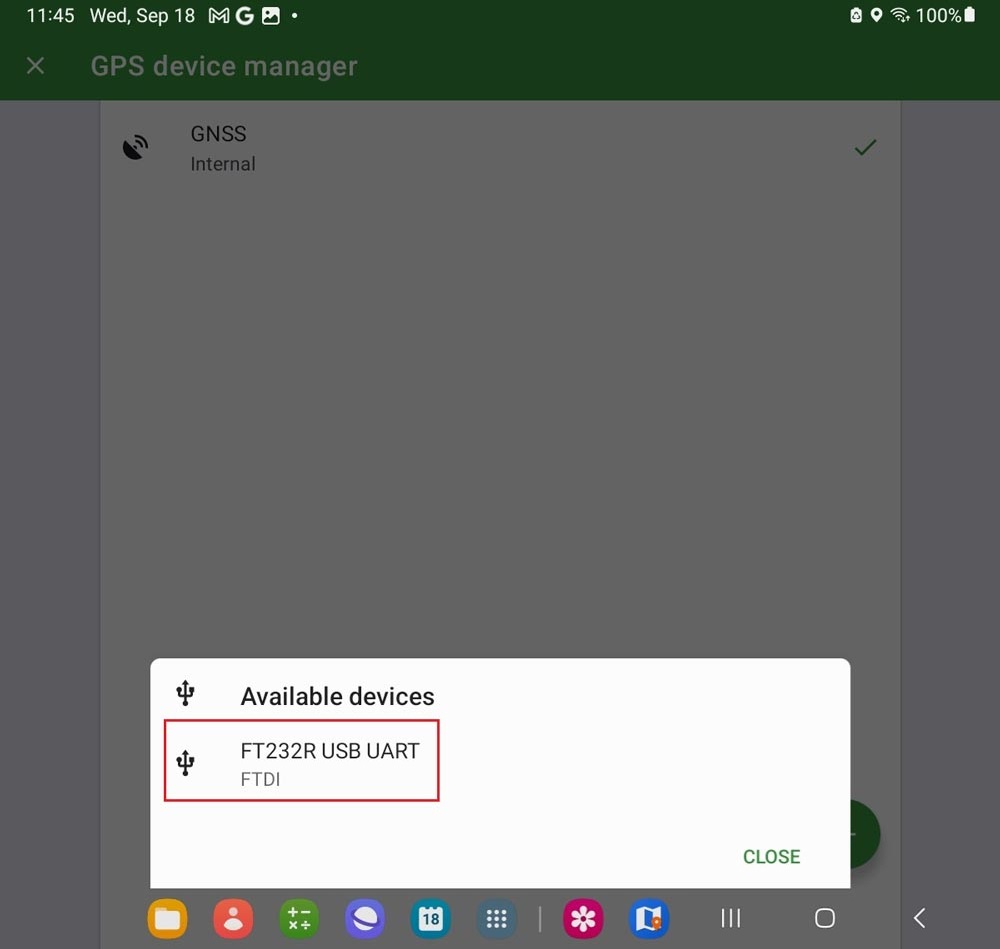
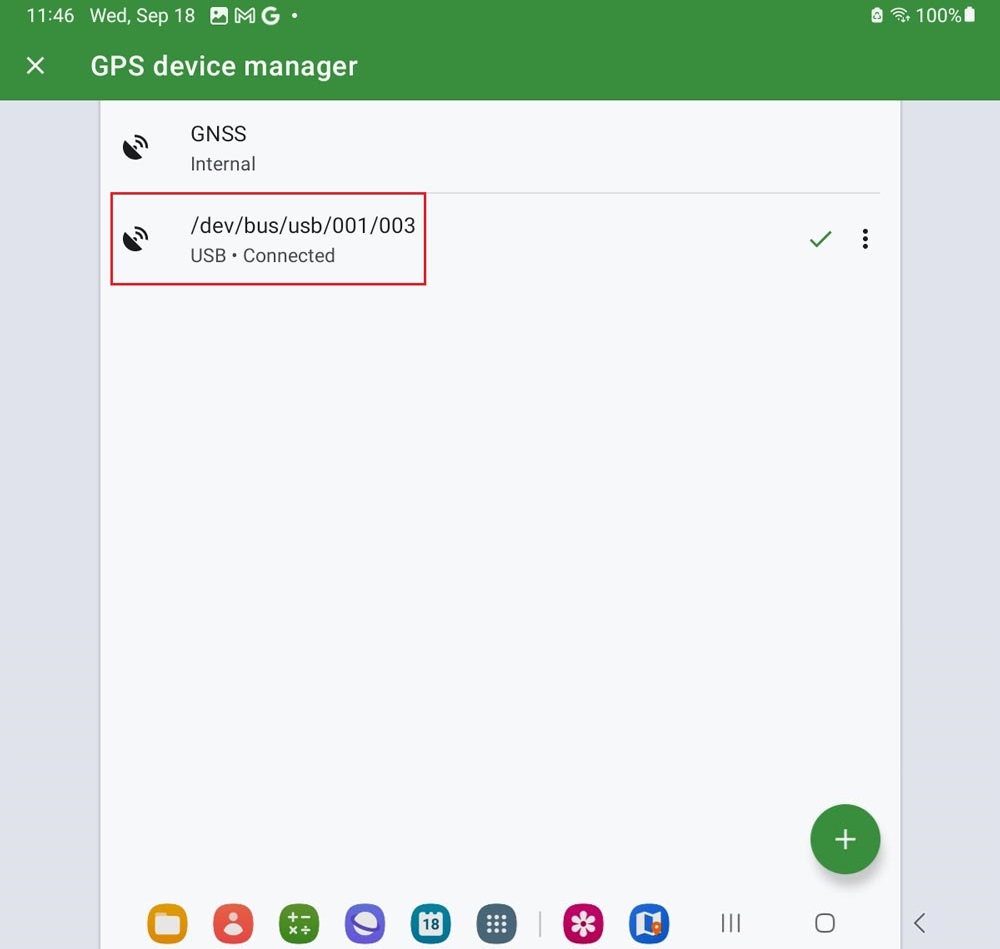
- Connect your receiver to your mobile phone via a USB OTG cable to power it.
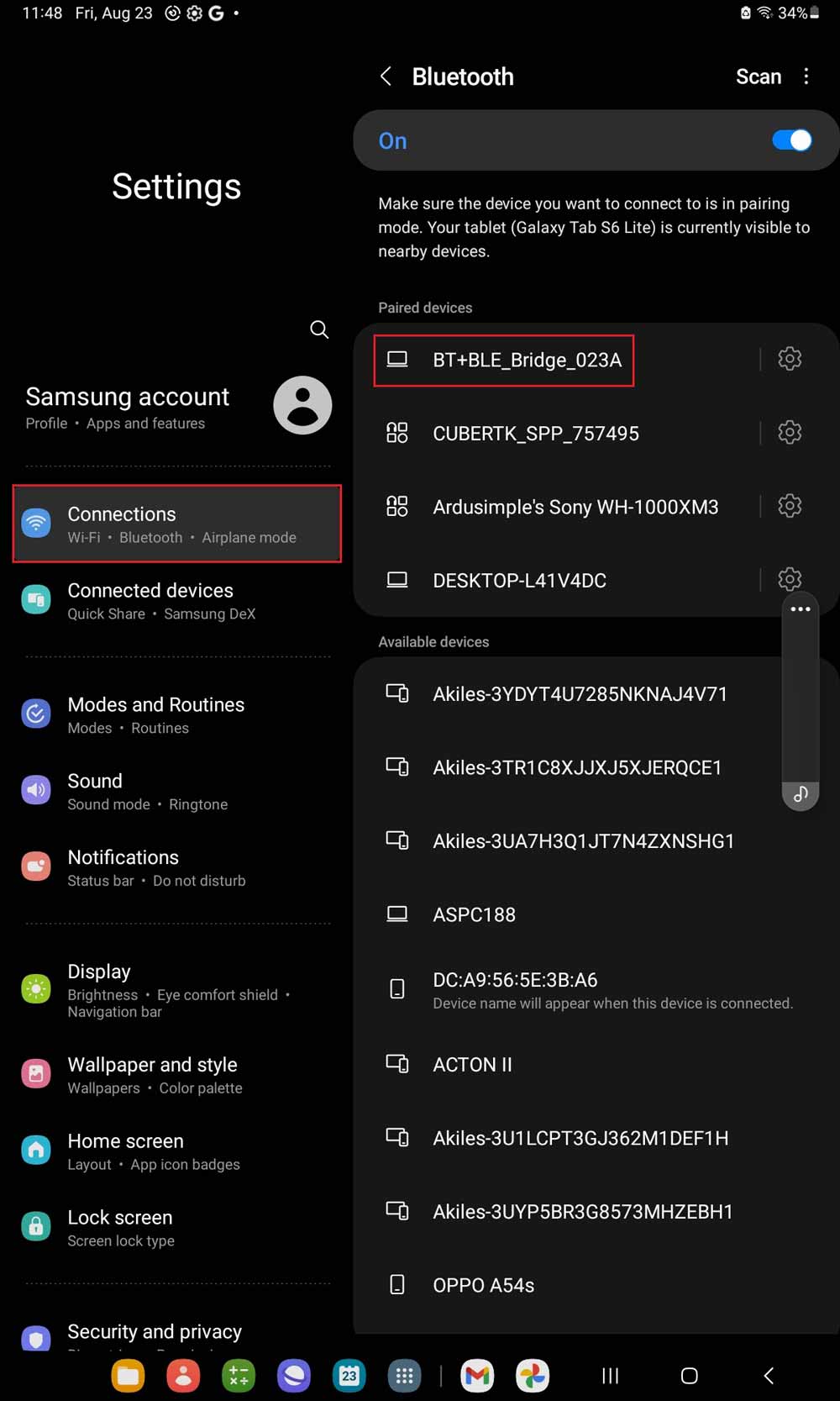
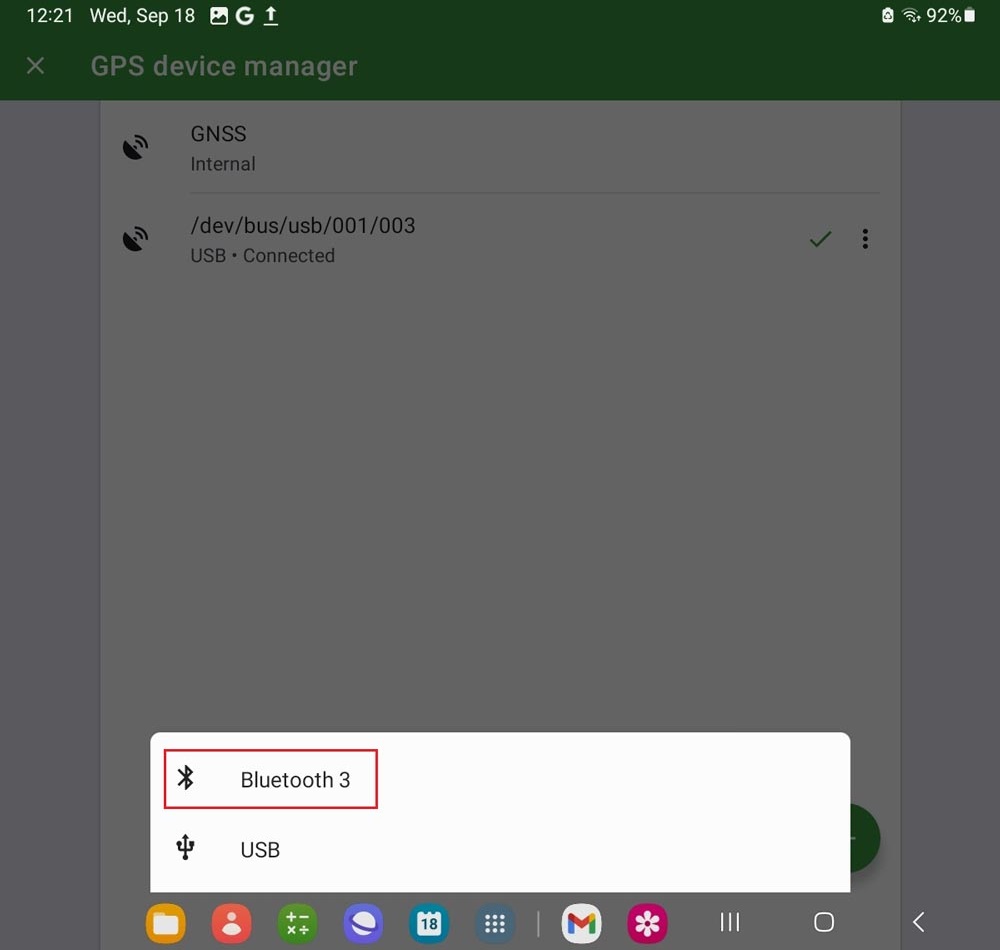
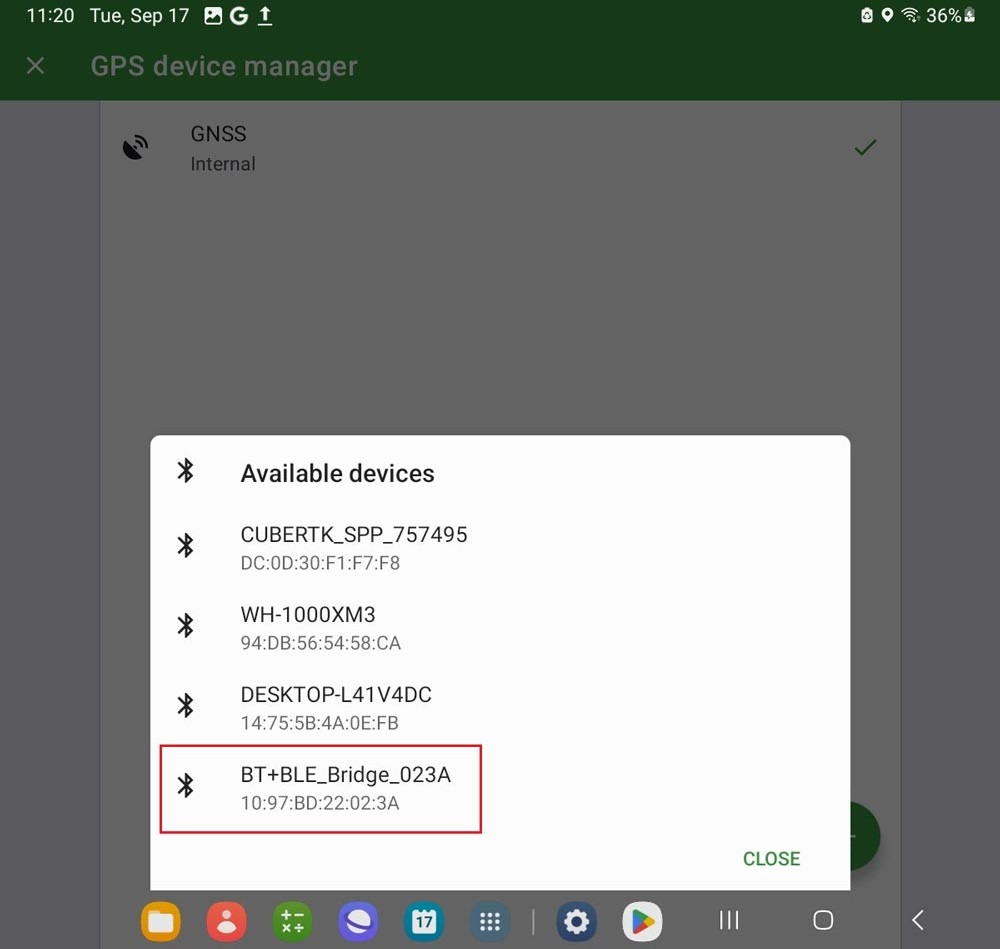
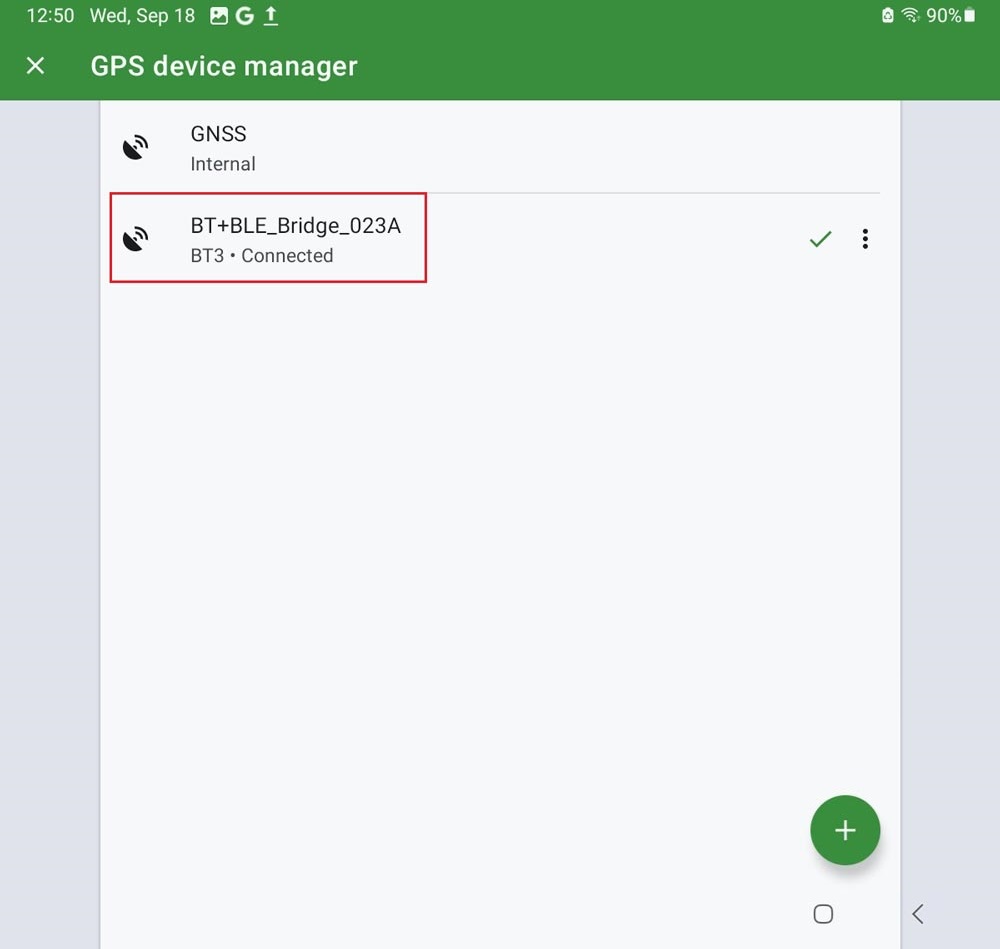
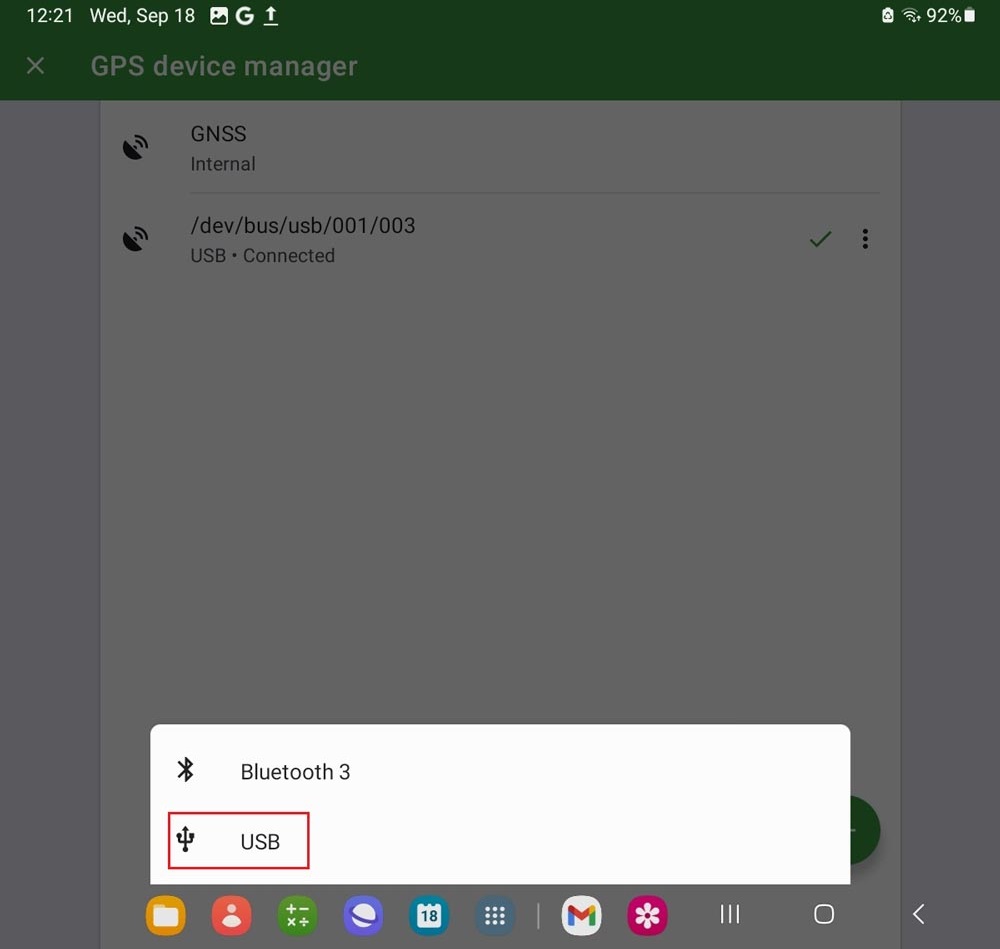
You can connect to Locus GIS via Bluetooth or USB OTG (Preferred method, because you can power your receiver and receive the GPS message on your phone at same time)
via Bluetooth
via USB-OTG (preferred method)
via Bluetooth
via USB-OTG (preferred method)
Connect to NTRIP correction.
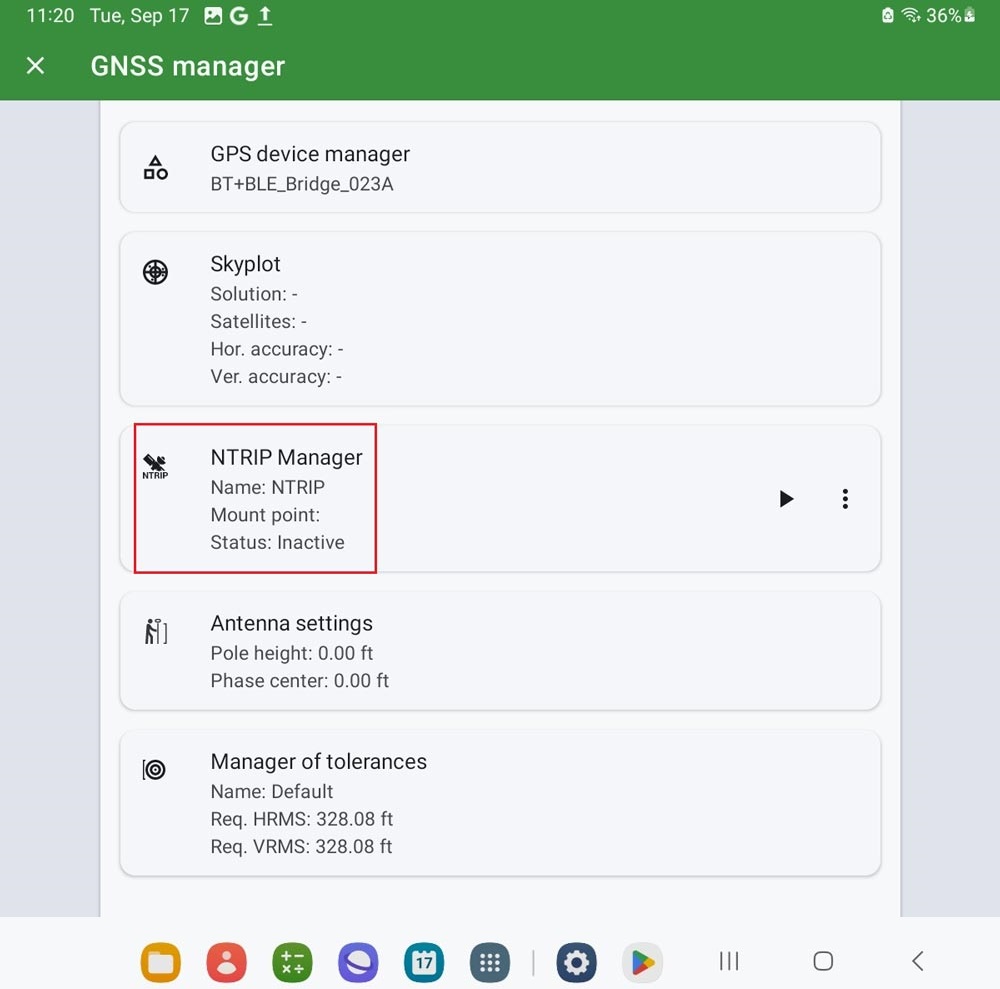
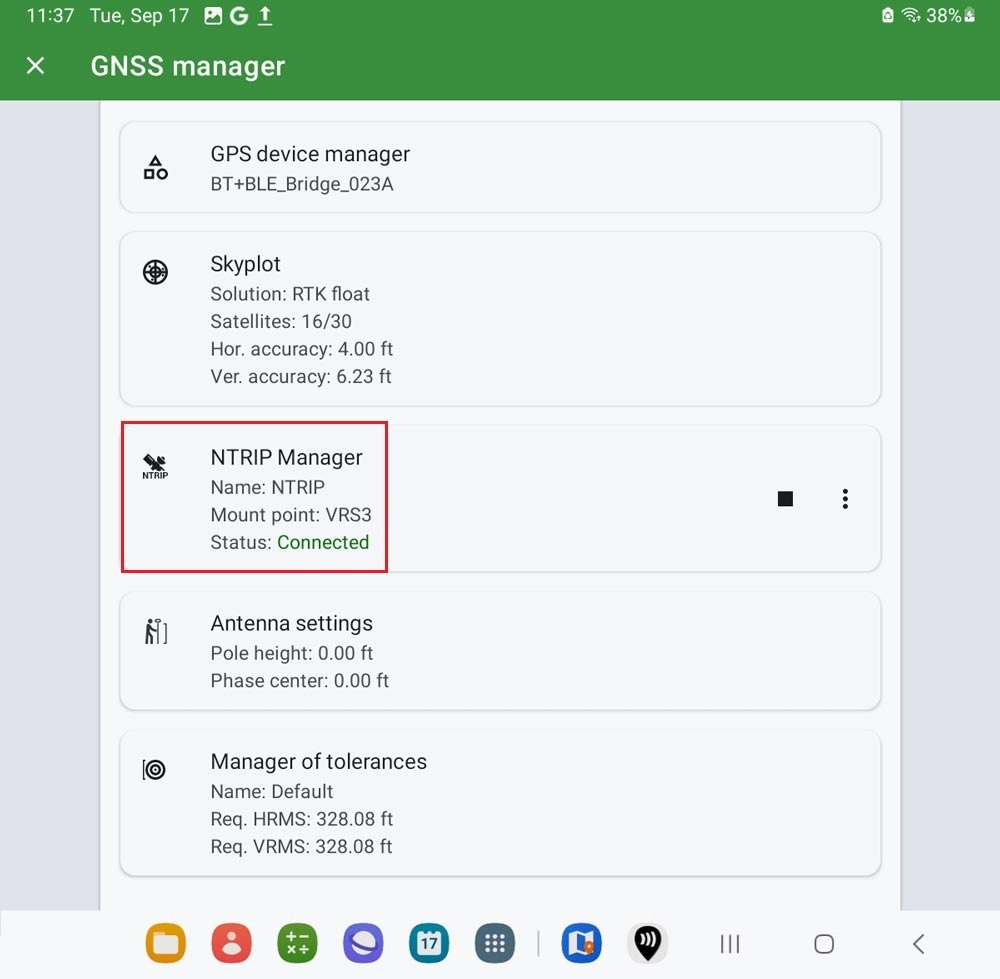
- Go to GNSS manager–>NTRIP Manager.
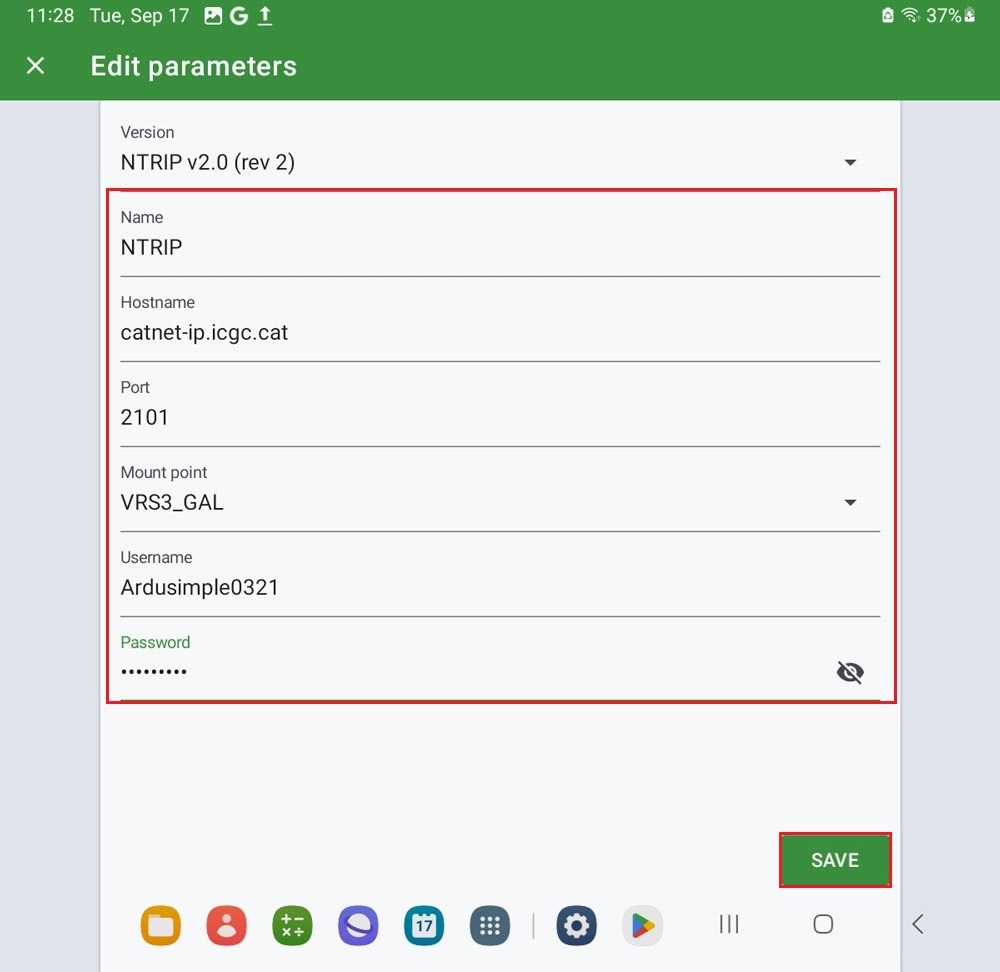
- Enter the credentials of your NTRIP client (Hostname, Port, Mount point, Username and Password). Tap SAVE.
- You will see the NTRIP Status shows Connected.
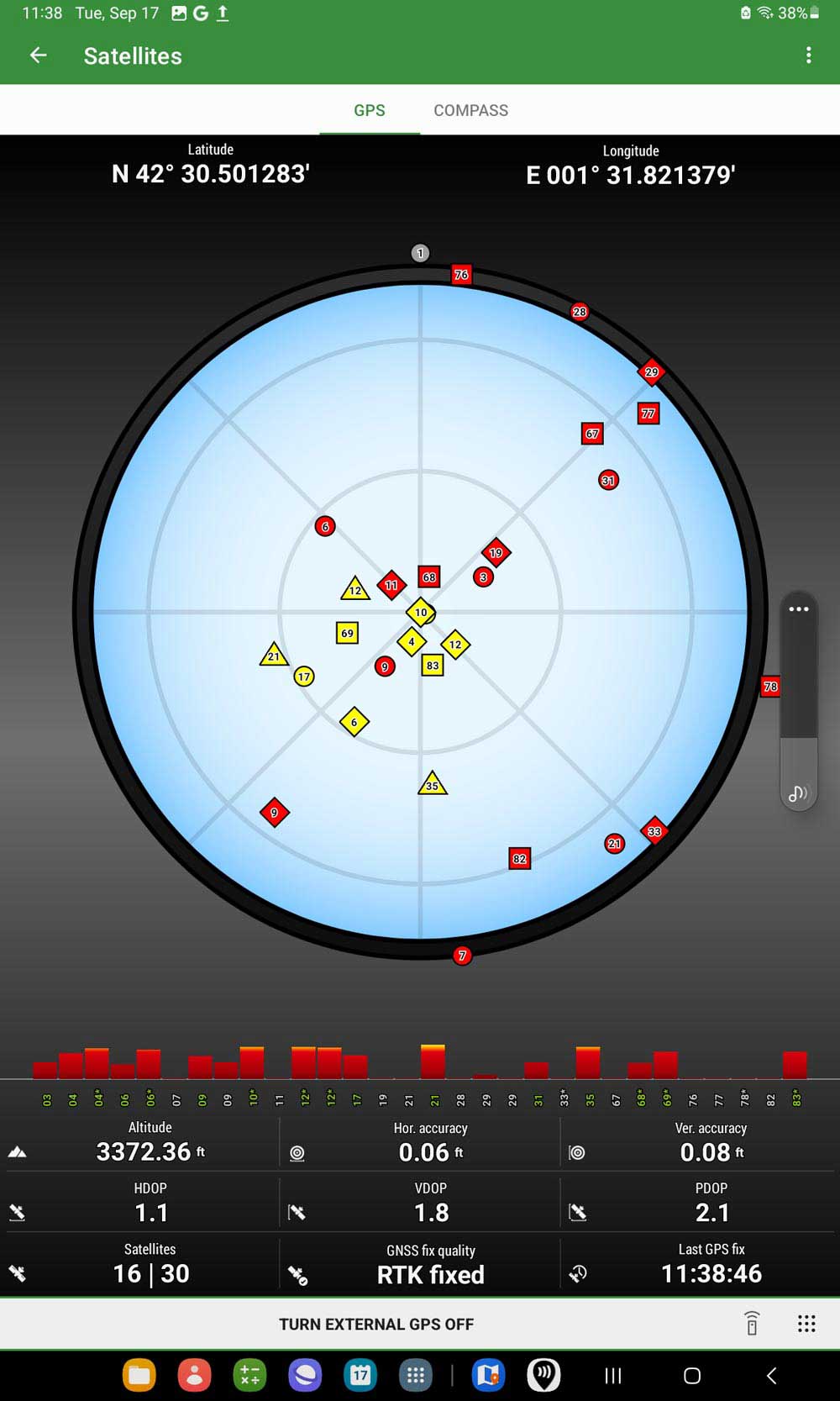
- Tap the satellite icon, you can see the satellites information and location information with GNSS fix type float or fixed.
Now you can use Locus GIS for your filed work with centimeter-level accuracy.
Related products
RTK Smart Antenna
Use your smartphone to perform surveying and geodesy jobs with this all-in-one NGS certified RTK receiver. You can finally buy instead of rent. If you need tilt compensation, click here.
Still having issues?
Contact us for support from a real engineer—not AI—or request the tutorial you’re missing