and
and 

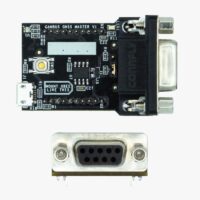
The CANBus GNSS Master is an accessory that allows to connect your simpleRTK2B, simpleRTK3B or simpleRTK4 board to a CAN Bus network and read/write messages.
With the current firmware you can use this plugin to transmit classic messages or you can also use it with NMEA2000 protocol.
The module has the following connections:
- XBee socket. This module is compatible with all our products with XBee sockets (simpleRTK2B, simpleRTK3B, simpleRTK4, …).
- microUSB connector. We use it to update its parameters or to load new firmware. Notice that this connection does not power the CANBus GNSS Master, you always need to plug it into a powered XBee socket.
- DB9 connector. You need to plug a cable to it. Connect the other end to your CANBus network.
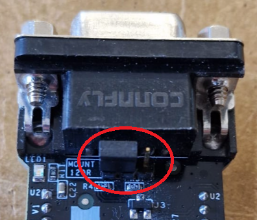
- Terminal resistor jumper. Make sure to set the terminal resistor jumper like this if your CANbus network has already a terminal resistor (if not leave it in the default position):
- BOOT button. Use it to load firmware (see instructions below).
- LEDs. Blue LED shows if the CANBus GNSS Master board is powered on.
To install this device, simply plug it into a GNSS receiver with XBee socket and power the receiver.
In normal operation there is no need to use the microUSB connector on it (we use it only to configure it).
To update your CANBus GNSS Master firmware you will need the following:
- CANBus GNSS Master and microUSB cable
- USB-C Carrier Board for XBee Plugins
- Latest CANBus GNSS Master firmware (zipped), you can find it below.
Once unzipped, it contains a firmware.hex file and a main.mpy file. - STM32 Cube Programmer, you can download for free here (Windows Version)
Please follow these steps:
- Plug your CANBus GNSS Master to the USB-C Carrier Board for XBee Plugins
- Make sure all cables are unplugged
- Press and keep pressed the CANBus GNSS Master button
- Connect the USB cable to the CANBus GNSS Master and to your computer
- Connect the USB cable to the USB-C Carrier Board for XBee Plugins and to your computer
- You can now release the CANBus GNSS Master button
- Open STM32 Cube Programmer
- Select USB from the dropdown menu
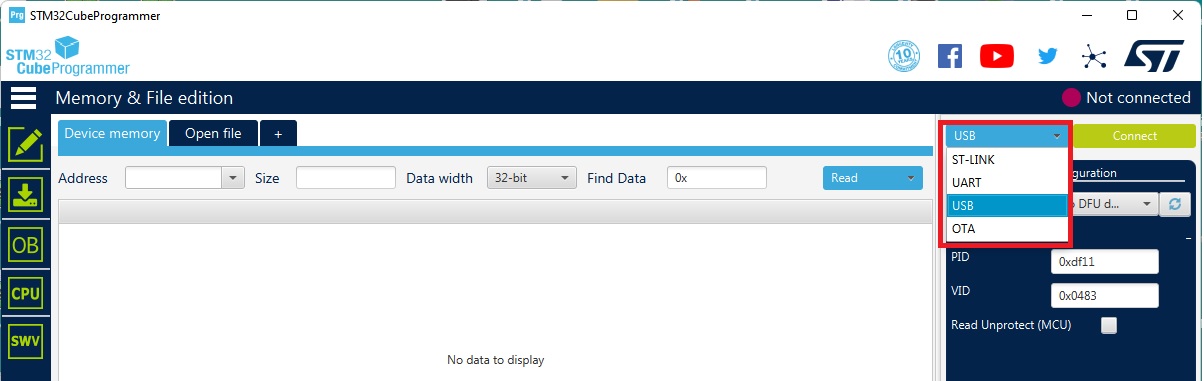
- Click the refresh icon and wait until the port updates and shows a number
- Click the CONNECT button
- Go to Erasing & Programming and click on Full chip erase
- Go to Memory & File Editing, click the Open File tab
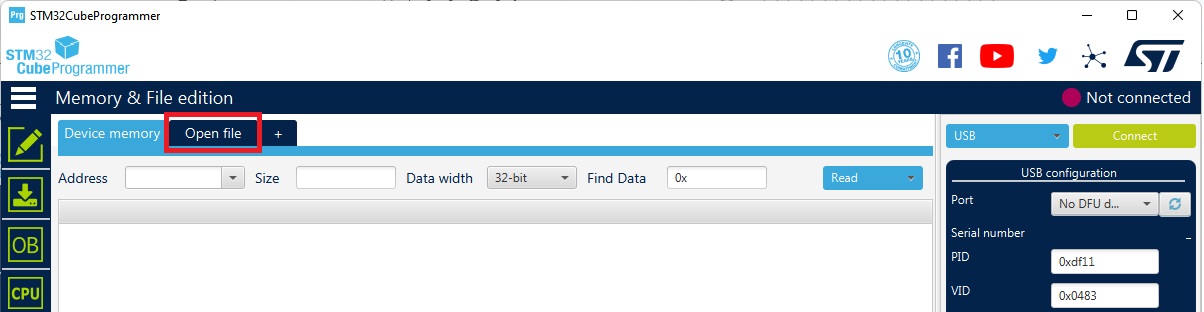
- Browse and select your firmware .hex file
- Click the Download button and wait until it completes
- Power off/on both the CANBus GNSS Master and the USB-C Carrier Board for XBee Plugins
- When the flash drive appears again, delete main.py file (if exists) and drag and drop main.mpy.
If your computer changed the name of the main.mpy file to main-Copy.mpy, main(1).mpy or similar, please rename the file again as main.mpy - Wait 10 seconds and reset power on your device
- Congratulations, you completed the firmware update 🙂
-
Sale!