
 and
and 

User Guide: Tilt Compensation plugin for RTK Smart Antenna

Product Overview
With the Tilt Compensation (IMU) plugin you can take measurements with the surveying pole tilted up to 60 degrees. By not needing to level the pole at each measurement, you can speed up point collection to another level.
This plugin is based on the popular Feymani IM19 module, and its main features are:
- Integrates seamlessly into the RTK Smart Antenna, just plug and play requiring no configuration.
- Old RTK Smart Antenna units can be retrofitted with this plugin
Accuracy of 1cm for up to 30deg tilt angle, 2cm up to 60deg tilt angle
Extreme fast initialization. - Self-calibration by simply moving the unit back and forth for 5 seconds
Long term heading stability.
If you bought your ArduSimple RTK Smart Antenna with the Tilt Compensation plugin already installed, then you can skip this guide entirely and start configuration following the RTK Smart Antenna user guide.
Installation
Step A: Open RTK Smart Antenna
The Tilt Compensation (IMU) plugin is designed to work seamlessly with the ArduSimple RTK Smart Antenna, connected to the internal XBee socket included for the purpose.
To reach the internals of the RTK Smart Antenna its top sealed lid needs to be removed. Please follow these steps in order and carefully to avoid damaging your device.
- Disconnect any cable from the USB-C connector, and make sure that the RTK Smart Antenna is powered off.
- Remove it from any pole or any other fixed position location, placing it on a table or flat surface.
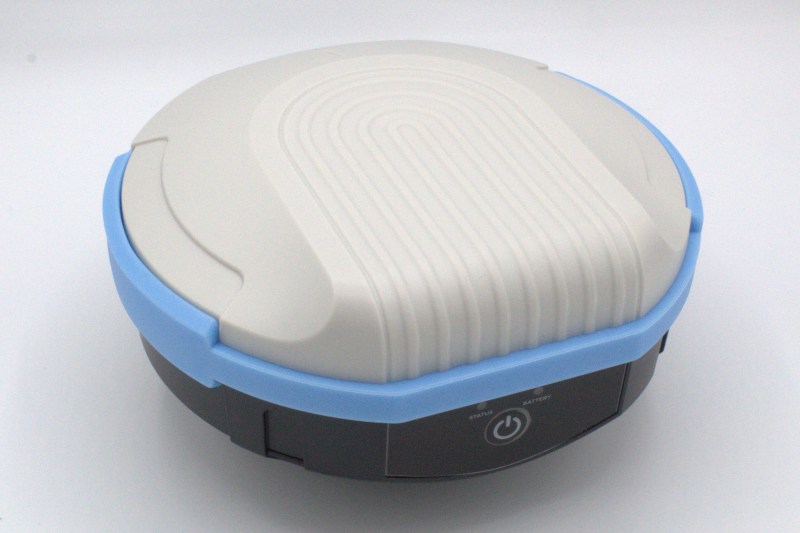
- Turn the RTK Smart Antenna upside down and put it back on the table.
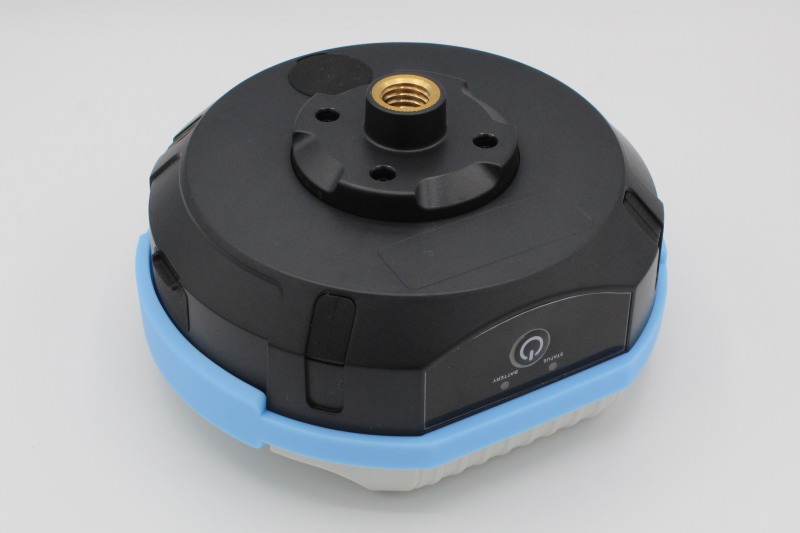
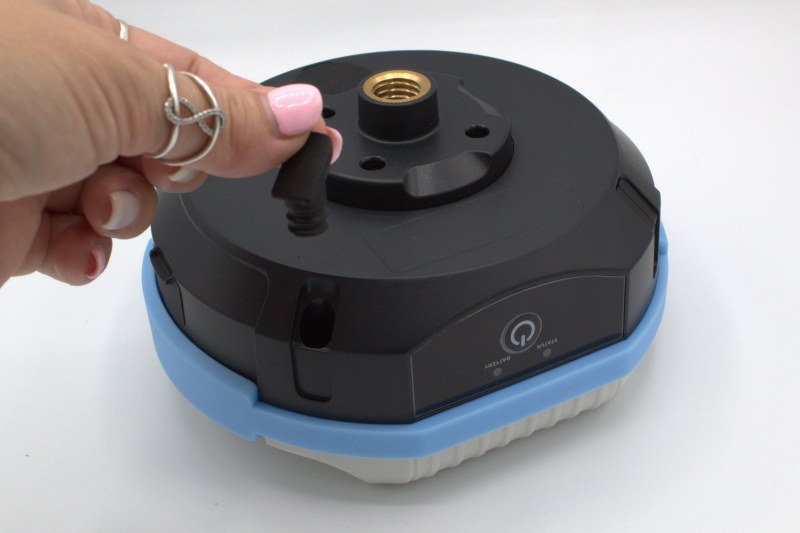
- Remove the rubber grummets from the 4 outside corners of the device.
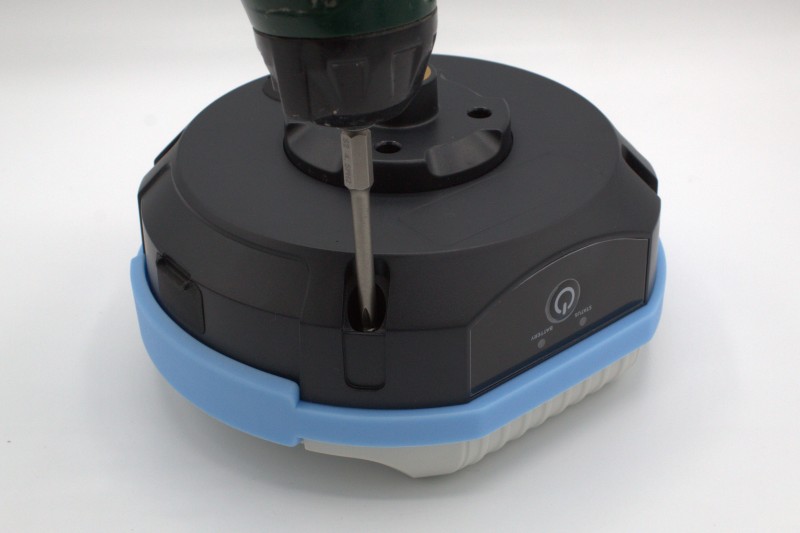
- Use a screw driver to remove the 4 corner screws that attach the bottom part of the RTK Smart Antenna to its top lid.
- Pressing with your hands its top and bottom together, flip the RTK Smart Antenna back to normal orientation and place it back on the table.
- Gently pull the (blue colored) sealing ring of the top lid until you notice it is loose. Lift it gently and hold it with one hand.

- You will find a cable coming from the top lid embedded antenna connected to the GNSS receiver.
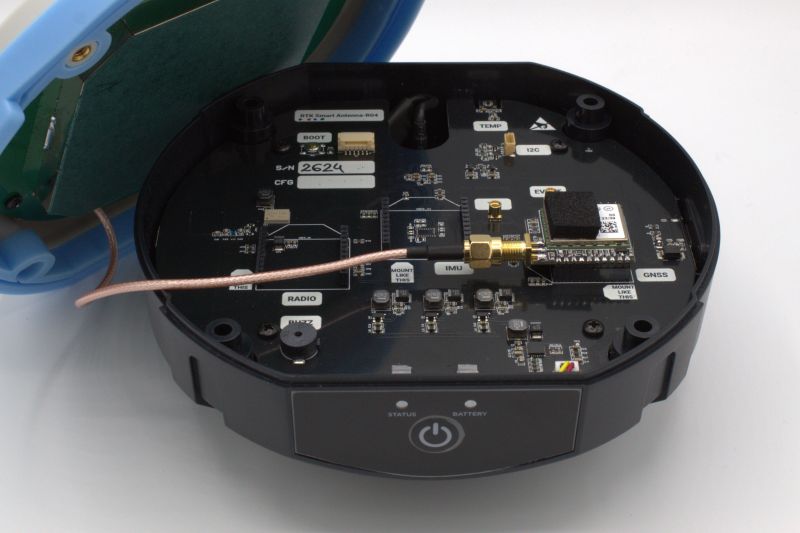
- Put the top lid upside down on the table beside the bottom part of the RTK Smart Antenna, avoiding tension on the cable.
- Unscrew the SMA connector from the GNSS receiver, being careful not to hit the components of the mainboard with the connector when it is loose.
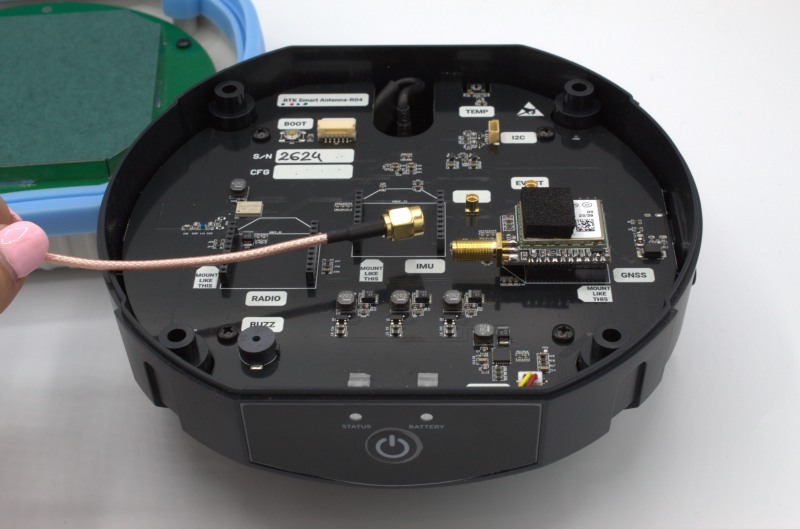
Step B: Install plugin
The RTK Smart Antenna mainboard includes 3 XBee sockets to install plugins, each with an specific purpose labeled accordingly:
- GNSS: This is the main socket holding the GNSS micro receiver.
- IMU: Placed in the center of the mainboard this is the socket used for tilt compensation modules (IMUs), as the one used in this guide.
- RADIO: This is intended for radio communication modules, as the ones used in base-rover setups. This socket is not used in this guide.
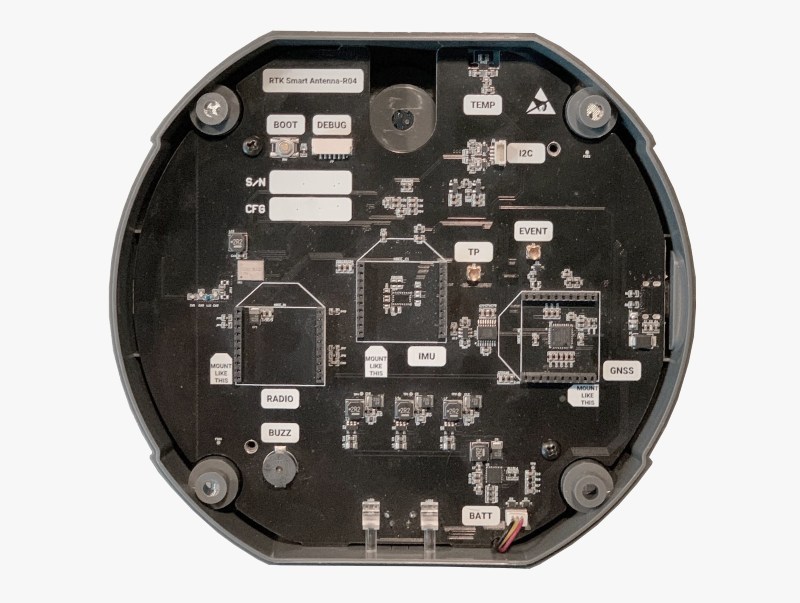
- Remove the Tilt Compensation module from the foam protective layer it was shipped with and hold it with one hand.
- Locate the XBee socket labeled as IMU (center) in the RTK Smart Antenna motherboard, and note the diamond shape drawing around it. It corresponds to the shape of the module (seen from above), showing the correct orientation that the module needs to be installed.
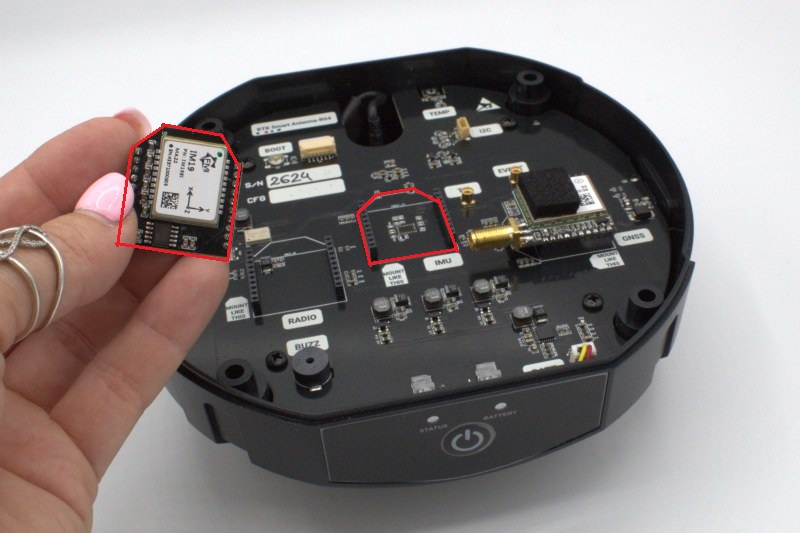
- Align the Tilt Compensation module pins with the headers of the IMU XBee socket, using the orientation mentioned in the previous step.
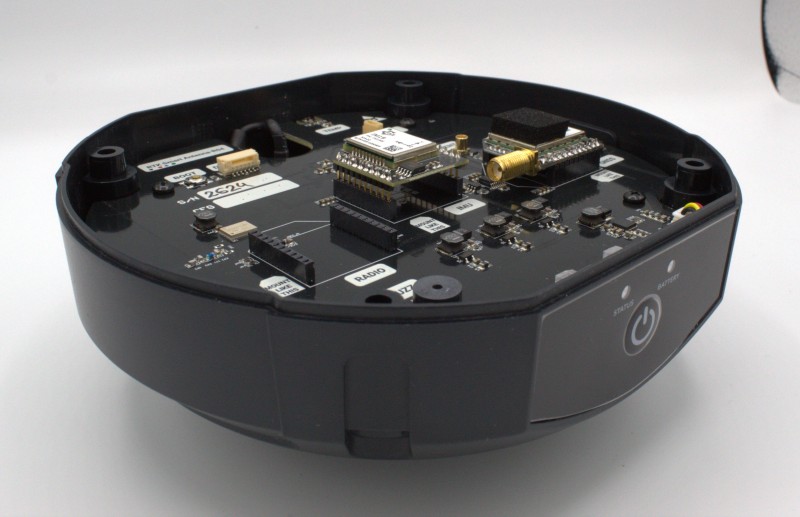
- Gently push the module into the socket, making sure it is correctly inserted.
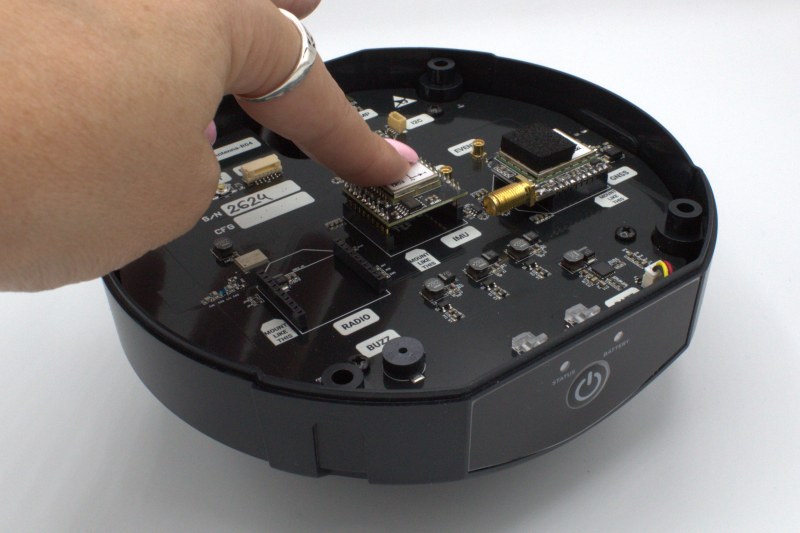
- Install the included protective foam on top of the Tilt Compensation module by removing the adhesive side cover from it and placing it centered on top of the IMU unit.
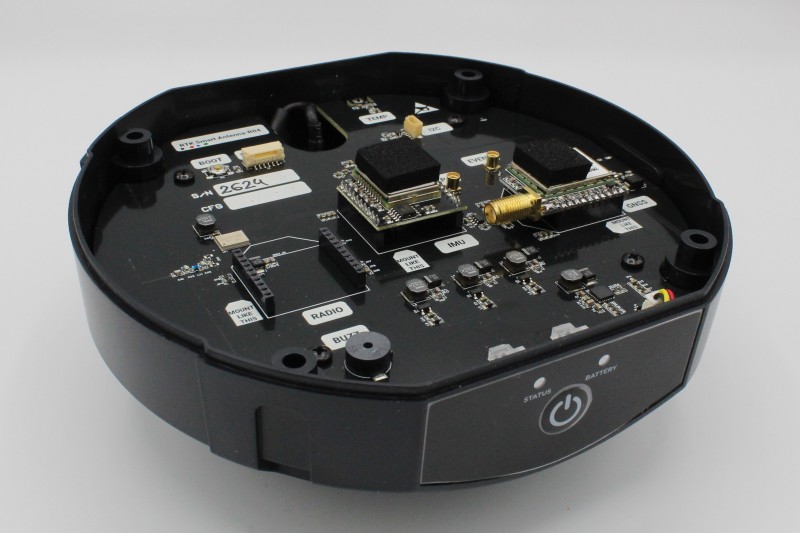
Step C: Close RTK Smart Antenna
- Screw back the SMA connector from the top lid cable back to the GNSS receiver, and holding the top lid with one hand, align it with the bottom part of the RTK Smart Antenna and push it in place.
- Make sure that both parts are correctly aligned and that the silicone ring (blue colored) is properly sealing the 2 parts together.
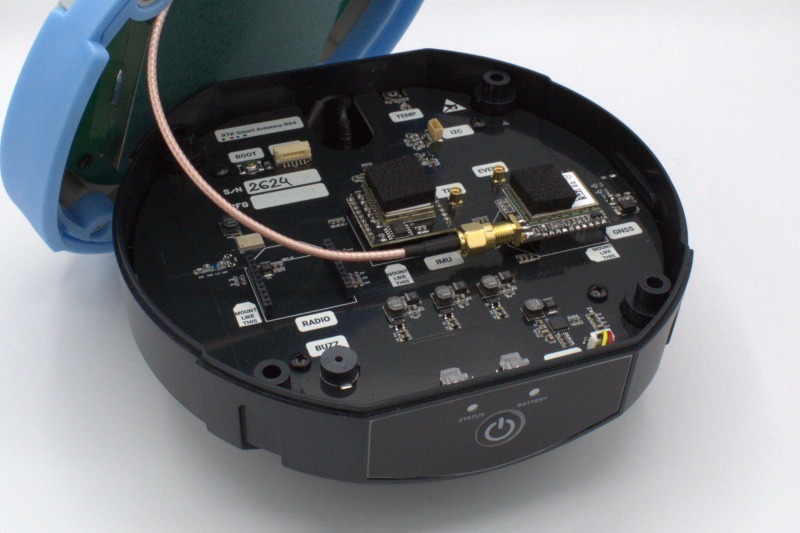
- Pressing with both hands the top and bottom of the RTK Smart Antenna, place it upside down.
- Use a screwdriver to insert the 4 screws that attach both parts together.
- Put back the rubber grommets in the 4 screw holes.
- Set the RTK Smart Antenna back on normal orientation and check that both parts are firmly bound together and properly sealed.
- You are now ready to configure your Tilt Compensation (IMU) plugin. Please follow the steps for that purpose in the RTK Smart Antenna User Guide.
Hardware
Pinout
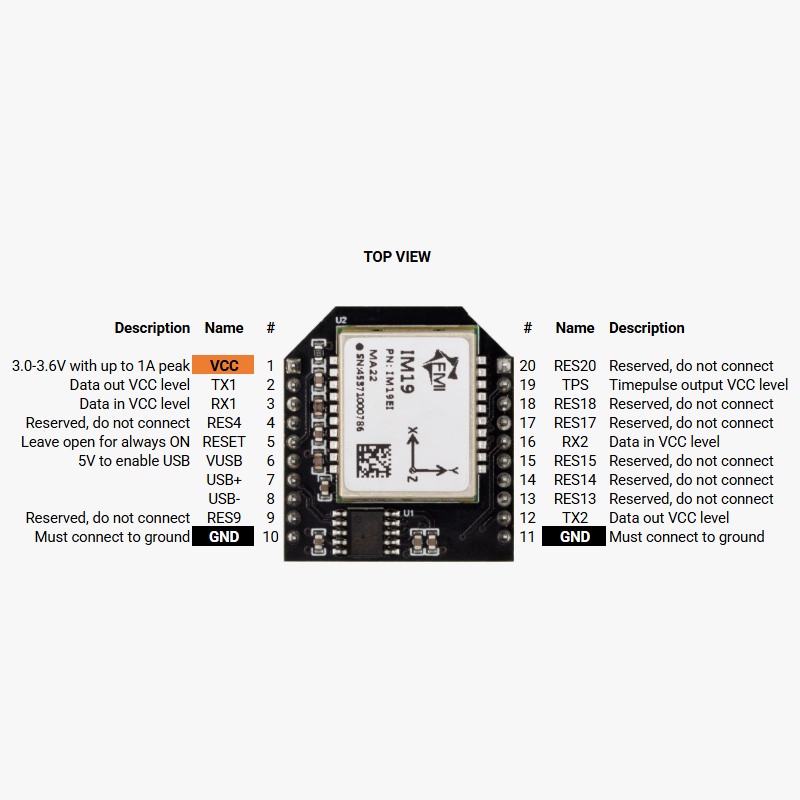
If you need additional information, such updating firmware or advanced configuration, please refer to the FEYMAN IM19 product and support page.
Accessories
You can check any of these products, that work in combination with the Tilt Compensation plugin:
- Sale!
 Smart Antenna
Tilt Compensation plugin for RTK Smart Antenna
299€Original price was: 299€.276€Current price is: 276€.