Update (08/10/2026): We have plenty of stock of all our products, find us also in and    How to get a quotation

How to change the baudrate of Ardusimple Bluetooth module

On this page 

No headings were found on this page.
Products used in this tutorial

All our Bluetooth modules come pre-configured at 38400bps which works for almost everyone.
We have prepared this tutorial for those users with special needs that need to change the baudrate.

Required hardware:

Required software:

  • Terminal application (here we use RealTerm. If you do not have it installed, you can dowload in here)

How to change the baudrate of the Bluetooth moudule?

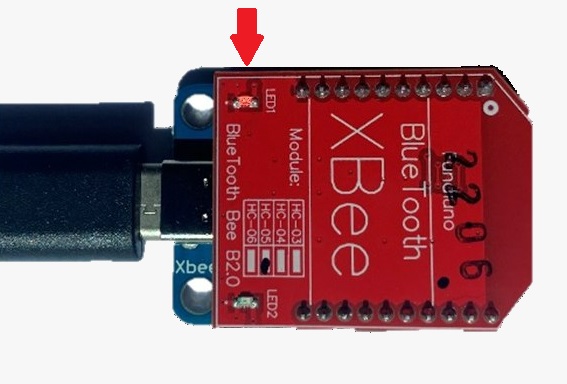
  1. Plug the Bluetooth module to your USB-C Carrier Board for XBee Plugins, and connect to your computer with USB cable. Make sure it is on the right side, so the LED on Bluetooth module will start to blink, as shown in the image.
How to Change the baudrate of ArduSimple Bluetooth module step1
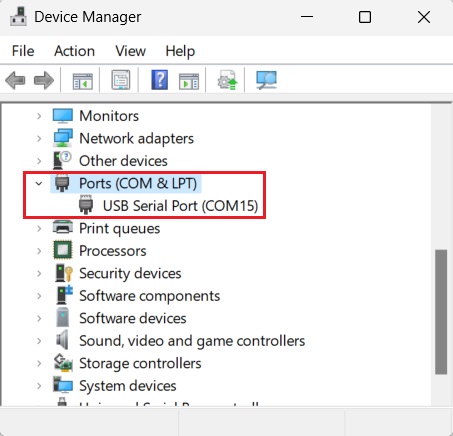
  1. Go to the Device Manager of your computer, check the COM number.
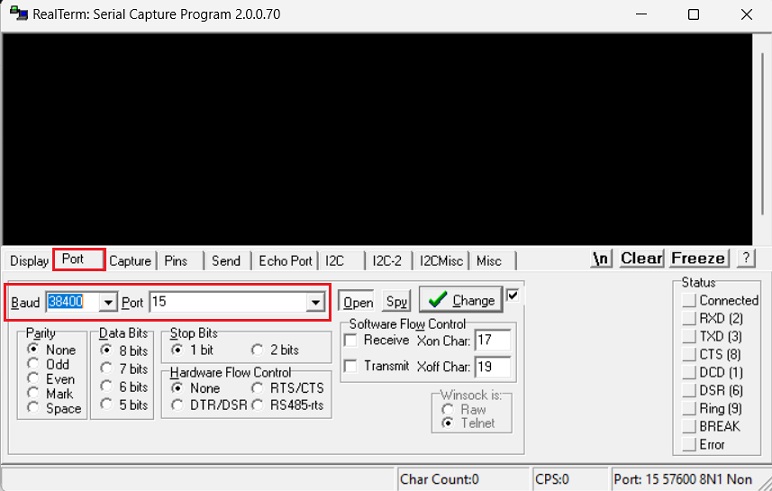
  1. Open RealTerm, Click on Port, set Baud to 38400. And at Port, type in the COM number which can see in your Device Manager, in our case it will be 15.
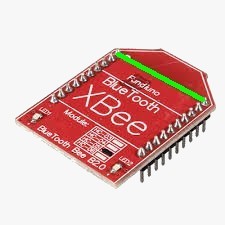
  1. Bridge the two upper pins with a wire (you only need to do it a moment, no need to keep the bridge all the time).
how to change baudrate step4
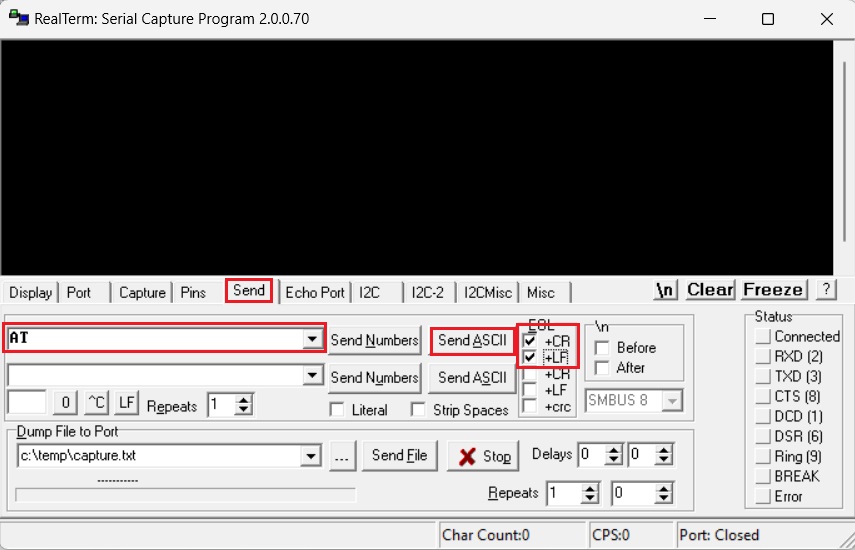
  1. To make sure everything is correct, you can send this string : click Send, type AT, at EOL chose +CR and +LF, then click SendASCII.
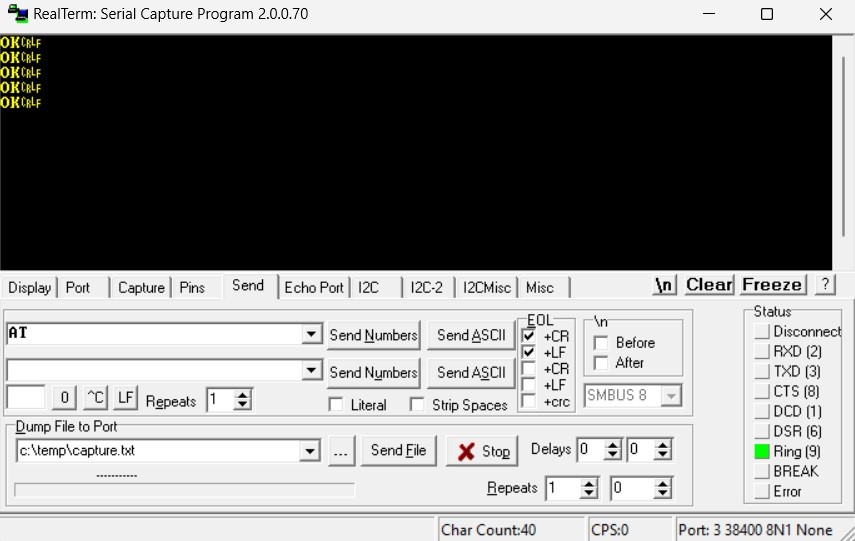
  1. The module should respond with OK (if it doesn’t, click Send ASCII button a few times).
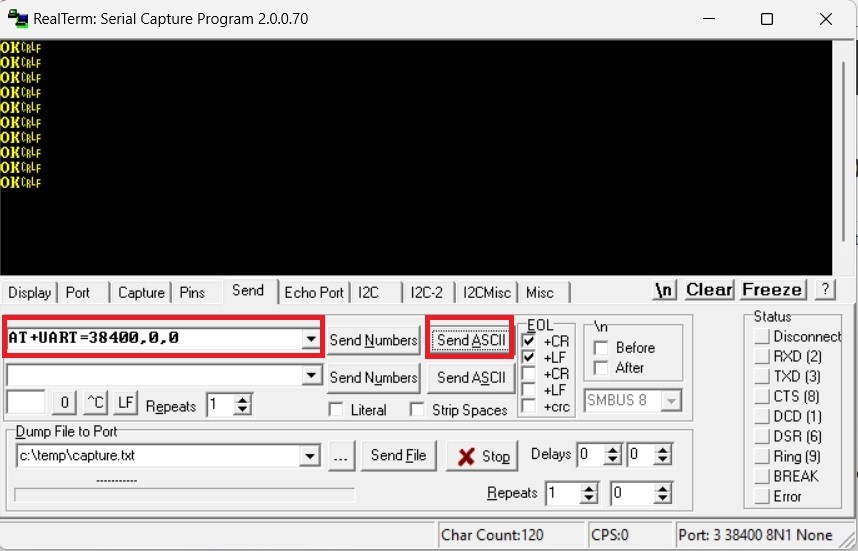
  1. Now you can send AT+UART=38400,0,0 followed by CR and LF to change 38400 for your desired baudrate.
  1. Now you changed the baudrate of our Bluetooth module. Remember to update the baudrate settings on your simpleRTK2B series receiver UART2 port to match the new settings on your Bluetooth module.

If you want to do this tutorial, we have all the products in stock and ready to be shipped.
Still having issues?

Contact us for support from a real engineer—not AI—or request the tutorial you’re missing

Got any questions or requests?
Contact us! We'll answer <24 hours!

Contact ArduSimple
Close

We`ll email you a link to this post

Send Post to email

Access your Account and orders

Or

New customer? Create your account
ArduSimple – high precision RTK survey equipment and solutions made simple

Want to learn more about GPS and RTK?

If you are busy right now, our engineers can send you 3 short e-mails, explaining all you need to know to start your project.